Payment & Schedule Settings
This guide explains how to configure payment options and scheduling for your pre-order campaigns.
Payment Types
Section titled “Payment Types”Qivra PreOrder supports four payment types. Each creates a Shopify Selling Plan that integrates natively with Shopify checkout.
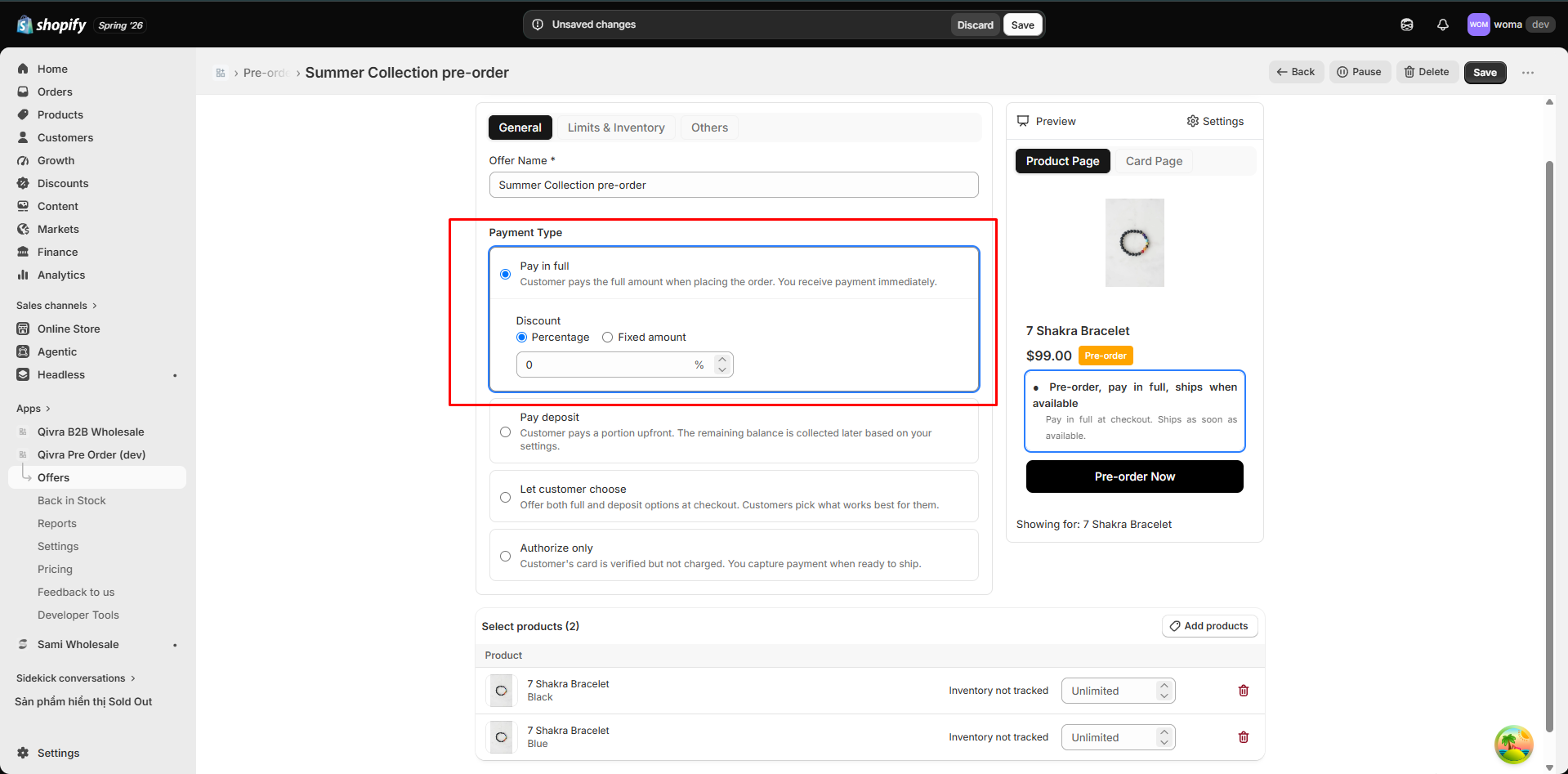
Full Payment
Section titled “Full Payment”Customer pays 100% of the product price at checkout.
- No remaining balance
- Simplest option for merchants and customers
- Available on all plans
Partial Payment (Deposit)
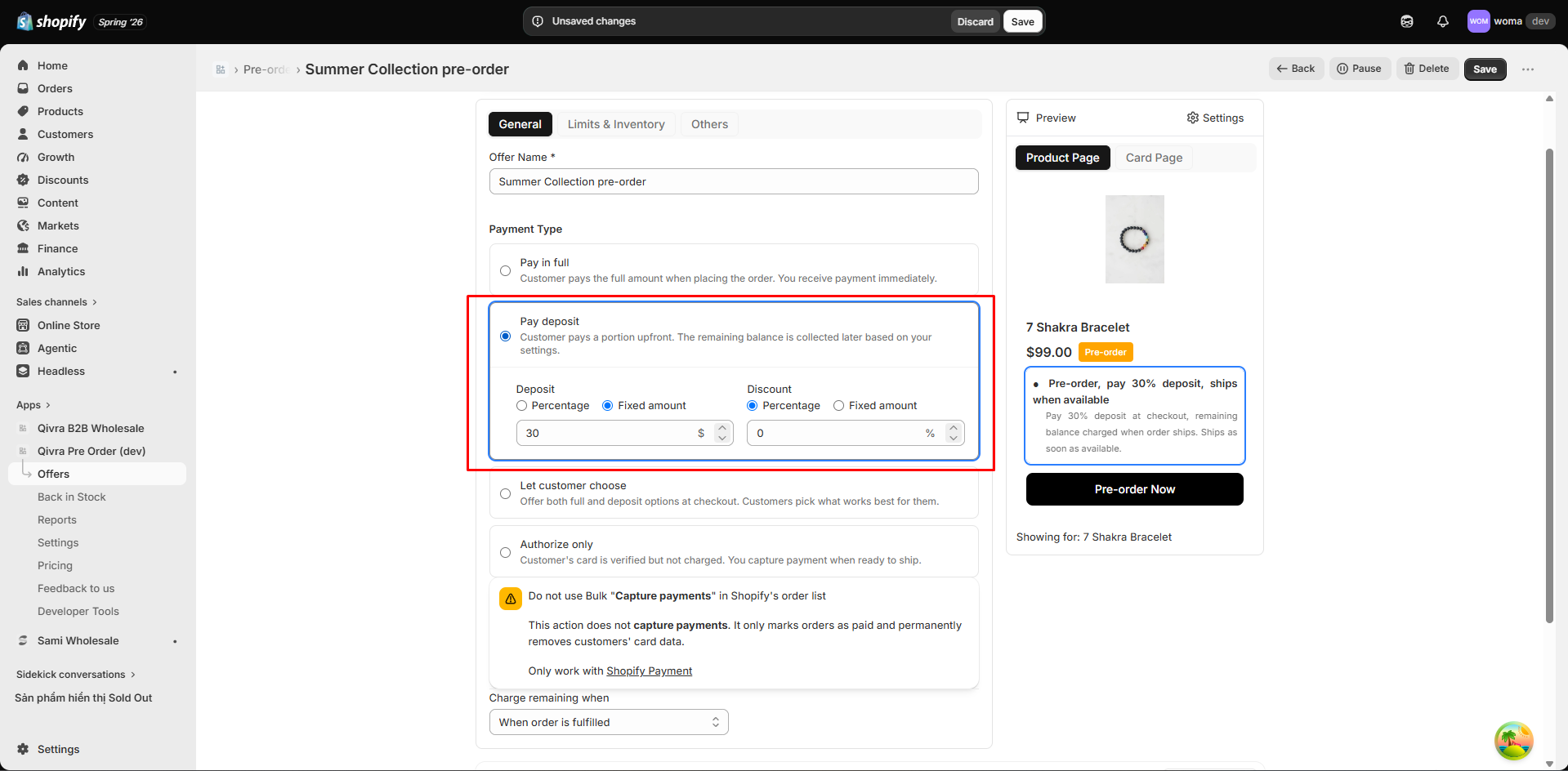
Section titled “Partial Payment (Deposit)”Customer pays a deposit at checkout. The remaining balance is charged later.
Deposit configuration:
- Percentage: e.g., 30% of the product price
- Fixed amount: e.g., $10 regardless of product price
Remaining balance triggers:
| Trigger | Description | Availability |
|---|---|---|
| On fulfillment | Charge when you ship the order | Premium feature (coming soon) |
| Time after checkout | Charge X days after the order is placed | Included |
| Exact time | Charge on a specific date | Included |
Important: Shopify payment authorizations expire after 7 days. For deposits, the app manages scheduled payment capture to handle remaining balances.
Combined
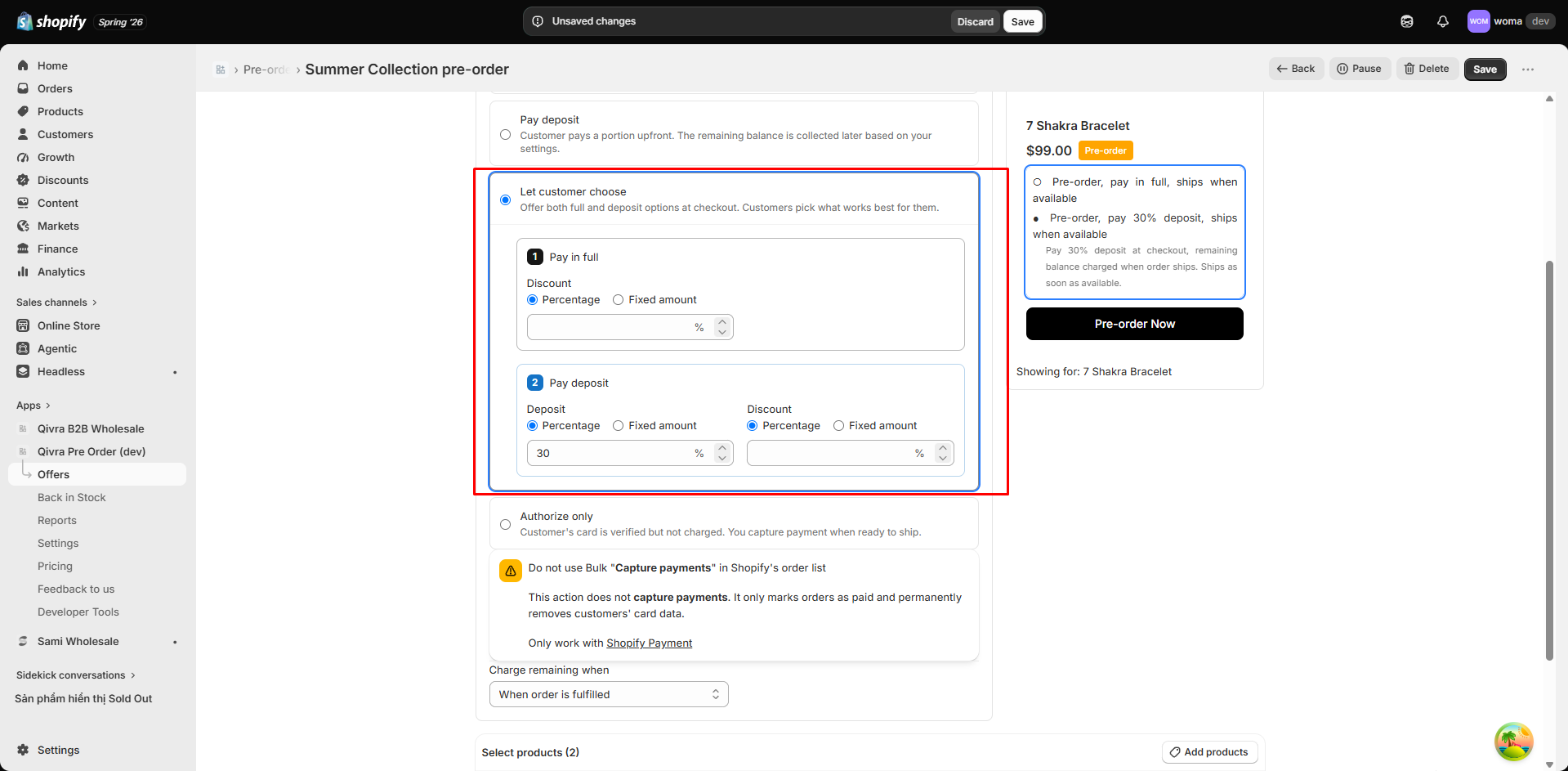
Section titled “Combined”Offer both full payment and deposit options in the same campaign. Customers choose their preferred option at checkout.
Two Selling Plans are created:
- Plan 1 - Full Payment: 100% at checkout
- Plan 2 - Partial Payment: Deposit now, remaining balance later
Each plan can have its own discount settings.
Pay Nothing (Authorization Only)
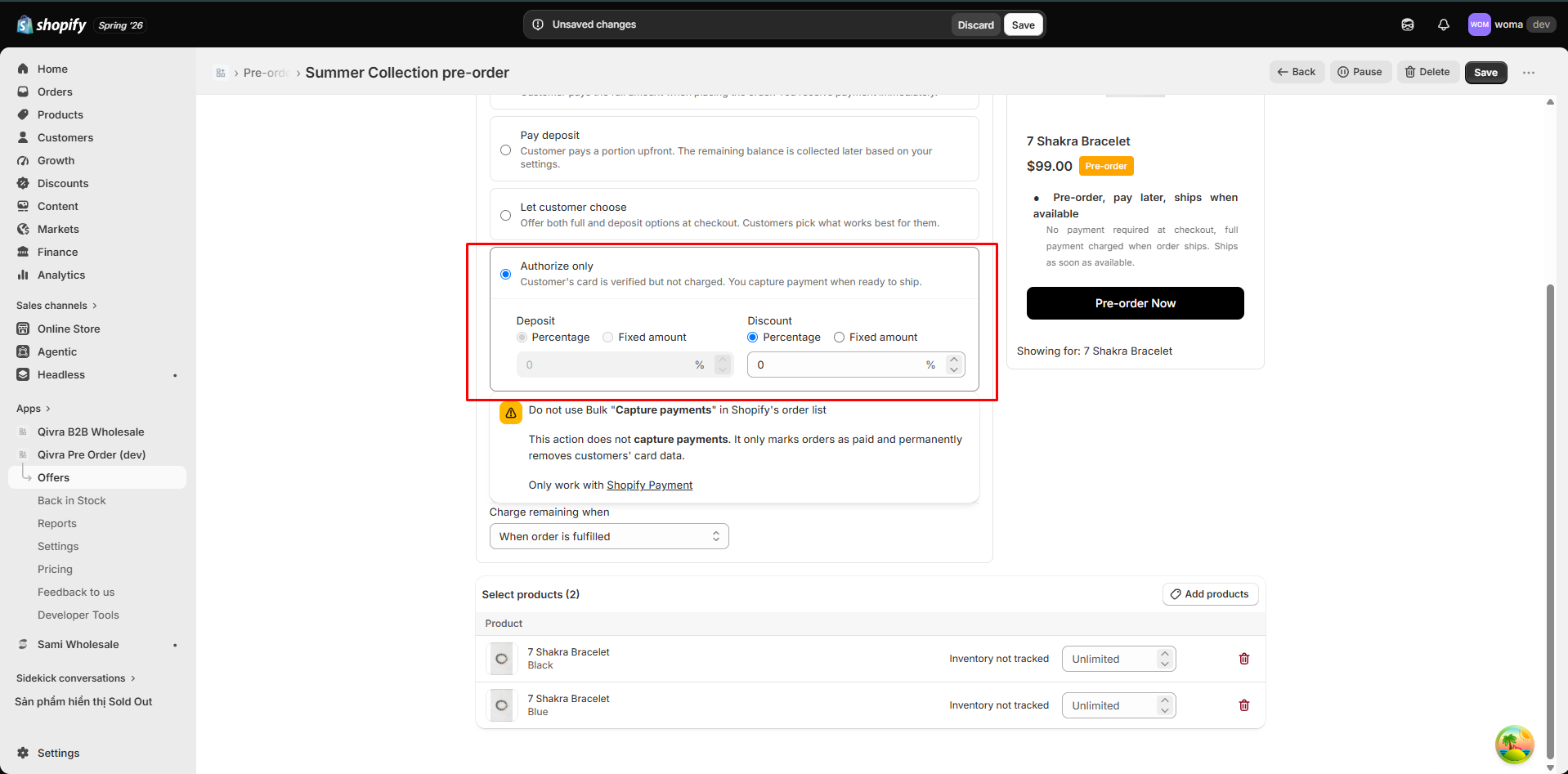
Section titled “Pay Nothing (Authorization Only)”Customer authorizes payment but is not charged until the trigger fires. Premium feature (coming soon).
- Remaining balance trigger must be set
- Useful for “reserve now, pay later” campaigns
Discounts
Section titled “Discounts”Apply discounts to any payment type:
| Discount Type | Example | Description |
|---|---|---|
| Percentage | 10% off | Discount by a percentage of the product price |
| Fixed amount | $5 off | Discount by a fixed dollar amount |
Discounts are configured per payment plan. In a combined offer, each plan (full and deposit) can have different discounts.
Scheduling
Section titled “Scheduling”Campaign Schedule
Section titled “Campaign Schedule”Set when your pre-order campaign is active:
- Start date: The campaign automatically activates at this date and time
- End date: The campaign automatically completes at this date and time
- Both fields are optional - leave empty for a manually managed campaign
The app’s scheduler runs automatically to activate and complete offers based on these dates.
Remaining Balance Schedule
Section titled “Remaining Balance Schedule”For deposit and pay-nothing offers, configure when the remaining balance is captured:
On fulfillment (Premium, coming soon): The remaining balance is captured when you mark the order as fulfilled in Shopify.
Time after checkout: Set a number of days (e.g., 14 days). The remaining balance is captured automatically after that period.
Exact time: Set a specific date and time. The remaining balance is captured on that date.
Payment Capture Flow
Section titled “Payment Capture Flow”- Customer places a pre-order
- Deposit (or full payment) is charged at checkout
- Order appears in the Reports > Pre-order tab with payment status
- When the trigger condition is met:
- On fulfillment: You fulfill the order, remaining balance is captured
- Time-based: Scheduler captures the remaining balance automatically
- If capture fails (expired authorization, etc.), the order status updates to reflect the failure