Return & Exchange Request Form
Return and exchange forms help streamline your returns process by collecting all necessary information upfront. This guide covers the return request form templates available in Qivra Form Builder.
Why Use Return Forms?
Section titled “Why Use Return Forms?”Return forms help you:
| Benefit | Description |
|---|---|
| Collect Info | Get all details needed to process |
| Reduce Emails | Fewer back-and-forth messages |
| Track Requests | Centralized return management |
| Improve Experience | Clear process for customers |
Available Return Templates
Section titled “Available Return Templates”Return Request Form
Section titled “Return Request Form”For processing product returns and refunds.
Included Fields:
| Field | Type | Required |
|---|---|---|
| Order Number | Text | Yes |
| Customer Name | Text | Yes |
| Yes | ||
| Phone | Phone | No |
| Product to Return | Dropdown | Yes |
| Quantity | Number | Yes |
| Return Reason | Dropdown | Yes |
| Reason Details | Text Area | Conditional |
| Refund Method | Radio | Yes |
| Additional Comments | Text Area | No |
Best For:
- E-commerce stores
- Retail businesses
- Any business accepting returns
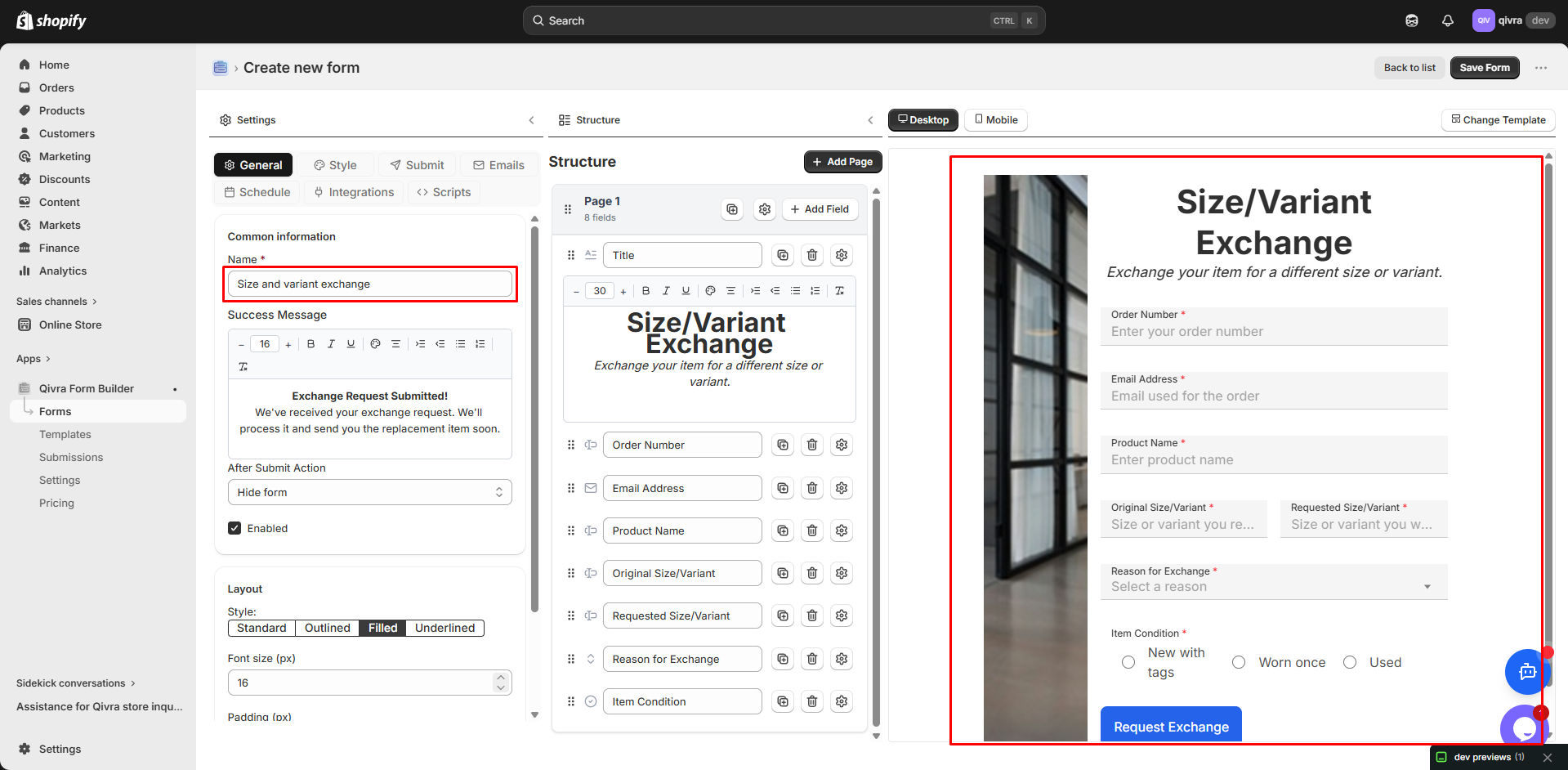
Exchange Request Form
Section titled “Exchange Request Form”For customers wanting to exchange products.
Included Fields:
| Field | Type | Required |
|---|---|---|
| Order Number | Text | Yes |
| Customer Name | Text | Yes |
| Yes | ||
| Product to Exchange | Dropdown | Yes |
| Current Size/Color | Dropdown | Yes |
| Desired Size/Color | Dropdown | Yes |
| Exchange Reason | Dropdown | Yes |
| Comments | Text Area | No |
Best For:
- Clothing stores
- Products with size/color options
- Flexible exchange policies
Warranty Claim Form
Section titled “Warranty Claim Form”For products under warranty.
Included Fields:
| Field | Type | Required |
|---|---|---|
| Customer Name | Text | Yes |
| Yes | ||
| Phone | Phone | Yes |
| Product Name | Text | Yes |
| Purchase Date | Date | Yes |
| Purchase Location | Dropdown | Yes |
| Order Number | Text | No |
| Issue Type | Dropdown | Yes |
| Issue Description | Text Area | Yes |
| Photos of Issue | File Upload | Yes |
| Desired Resolution | Radio | Yes |
Best For:
- Electronics
- Appliances
- Products with warranties
Using a Return Template
Section titled “Using a Return Template”Step 1: Access Templates
Section titled “Step 1: Access Templates”- Go to Qivra Form Builder
- Click Templates
- Filter by “Return” category
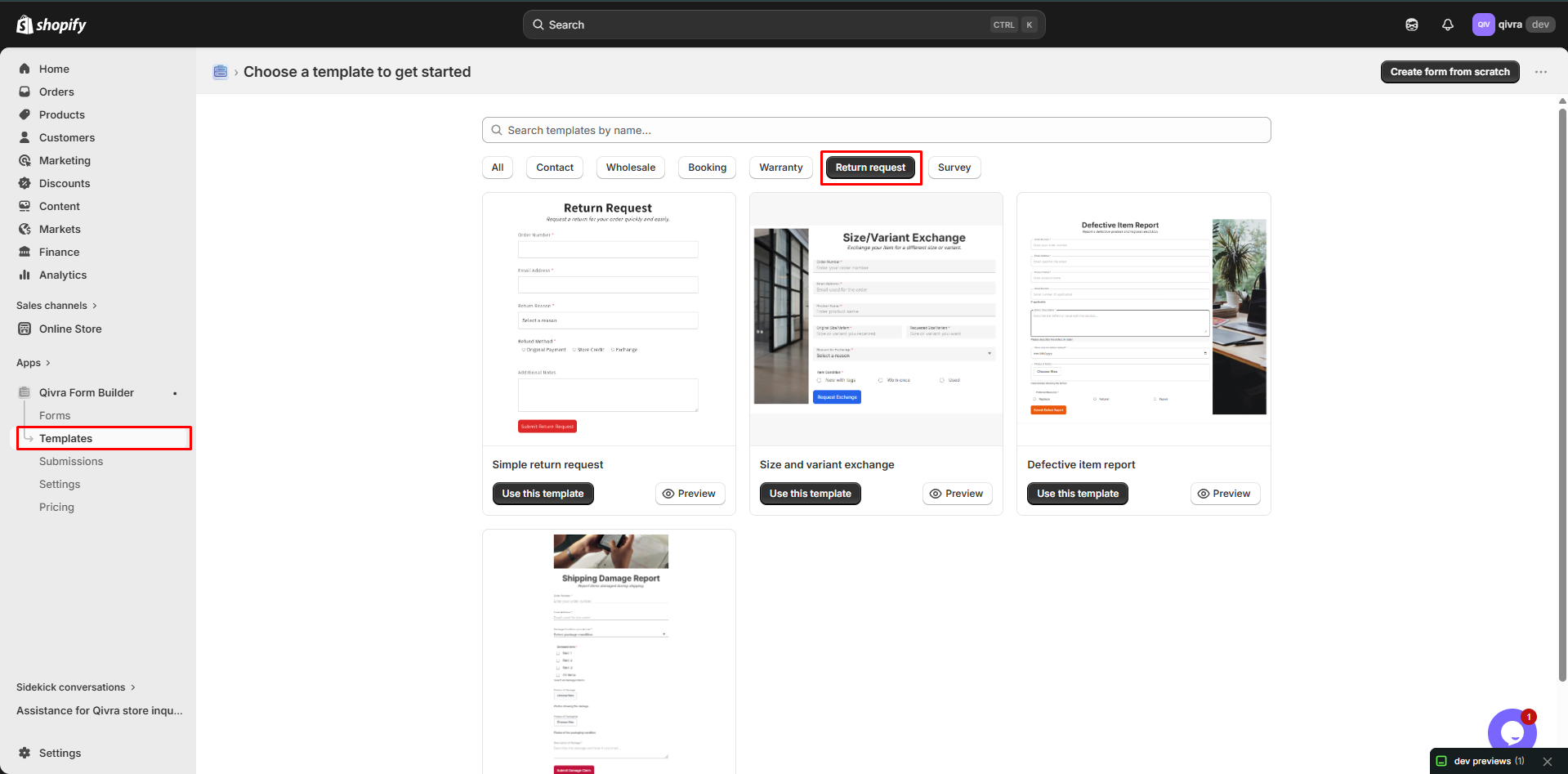
Step 2: Preview and Select
Section titled “Step 2: Preview and Select”- Preview available templates
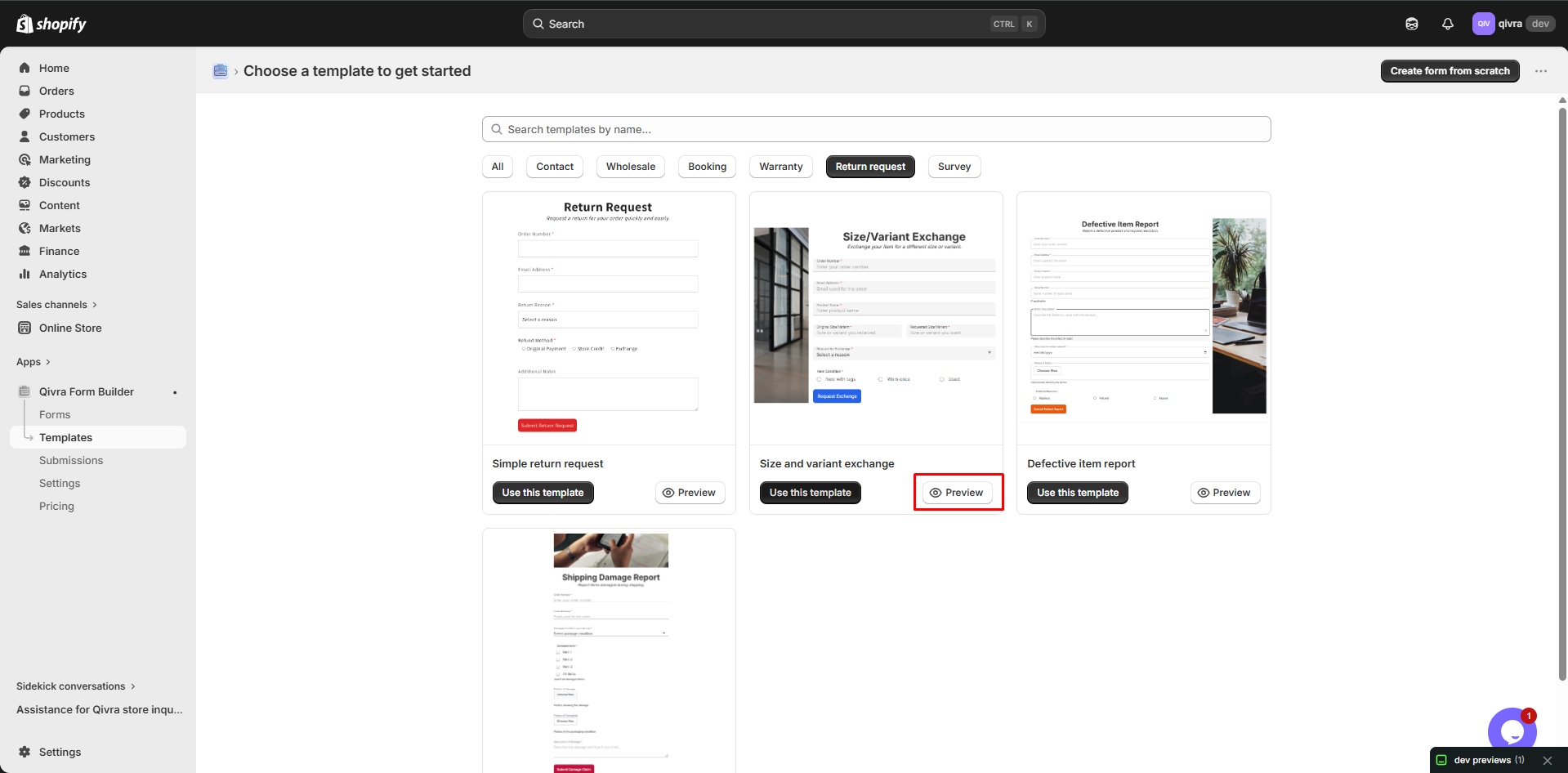
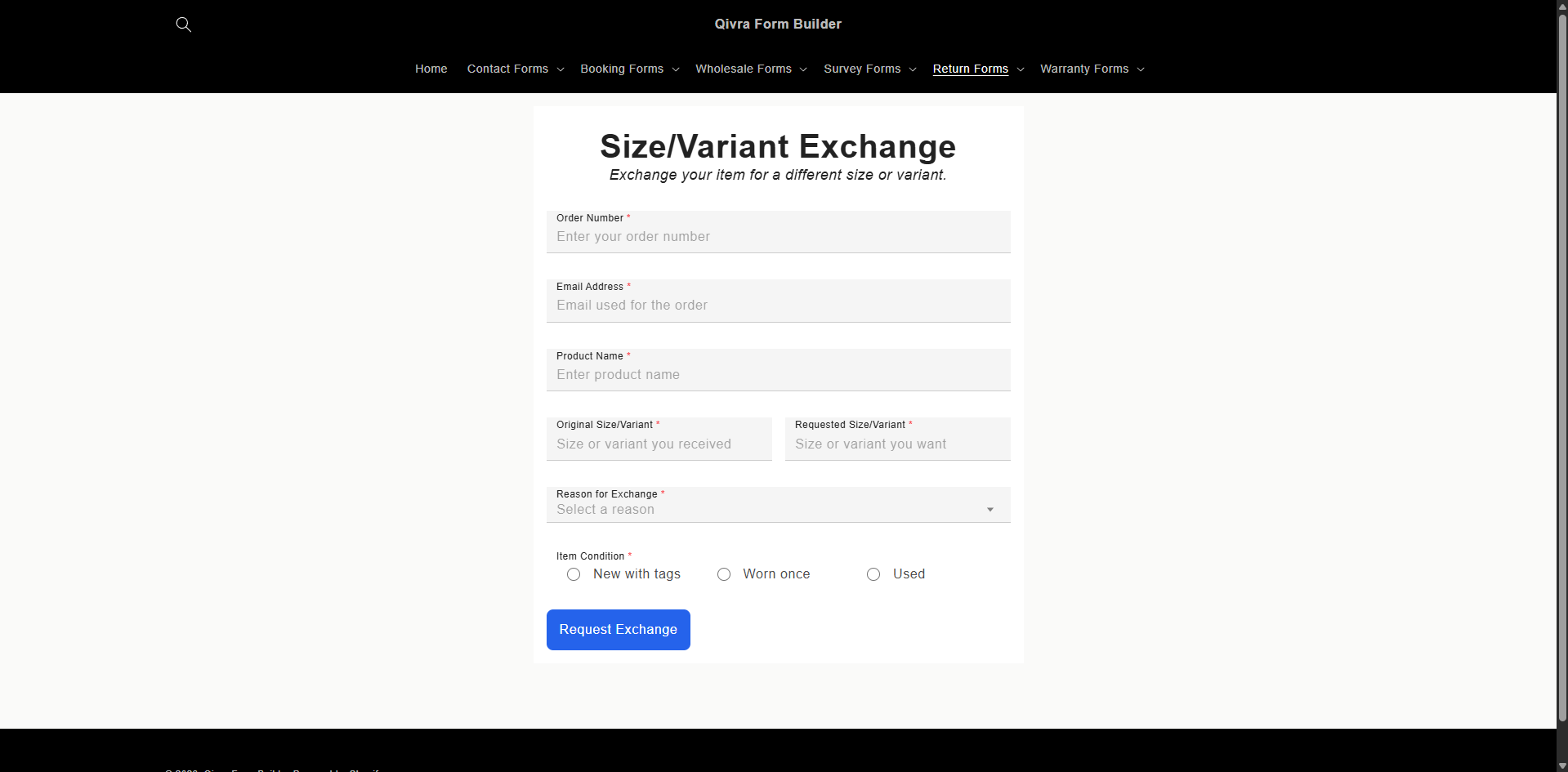
- Choose one matching your process
- Click Use this template
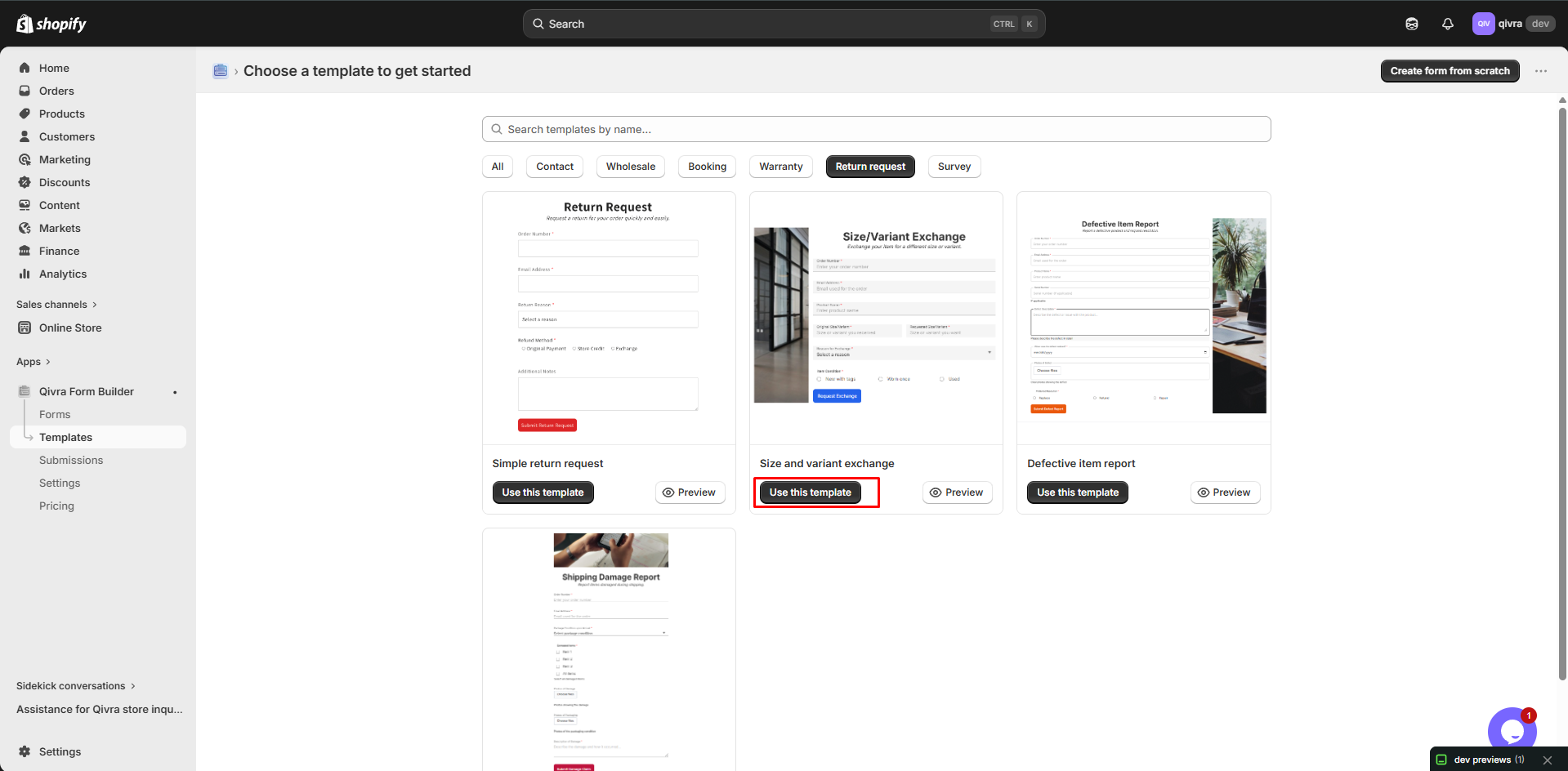
Step 3: Customize
Section titled “Step 3: Customize”Modify for your policy:
- Update return reasons
- Set refund methods
- Add your terms
- Adjust required fields
Customizing Return Forms
Section titled “Customizing Return Forms”Return Reason Options
Section titled “Return Reason Options”Common return reasons:
| Reason | Description |
|---|---|
| Wrong item received | Shipping error |
| Item damaged | Arrived damaged |
| Item defective | Quality issue |
| Not as described | Mismatch with listing |
| Changed mind | No longer wanted |
| Better price elsewhere | Found cheaper |
| Wrong size | Sizing issue |
| Other | Catch-all |
Refund Method Options
Section titled “Refund Method Options”| Method | Description |
|---|---|
| Original payment method | Refund to card |
| Store credit | Gift card balance |
| Exchange | Different item |
| Shipping refund | Include shipping |
Conditional Fields
Section titled “Conditional Fields”Show fields based on reason:
IF "Return Reason" = "Item damaged"THEN show "Damage Description" fieldAND require "Photo Upload"IF "Return Reason" = "Wrong size"THEN show "What size was ordered"AND show "What size is needed"Product Selector
Section titled “Product Selector”Use Product Selector field:
- Customer searches for product
- Selects exact product
- Submission includes product details
Multi-Step Return Forms
Section titled “Multi-Step Return Forms”Break long forms into steps:
Recommended Structure
Section titled “Recommended Structure”Step 1: Order Information
- Order Number
- Phone
Step 2: Product Details
- Product to Return
- Quantity
- Reason
Step 3: Additional Information
- Photos
- Comments
- Preferred Resolution
Benefits
Section titled “Benefits”| Benefit | Why It Matters |
|---|---|
| Less overwhelming | Easier to complete |
| Progress tracking | Users see progress |
| Conditional steps | Show relevant sections |
Return Form Best Practices
Section titled “Return Form Best Practices”Essential Information
Section titled “Essential Information”Always collect:
| Field | Why Needed |
|---|---|
| Order number | Locate the order |
| Match to customer | |
| Product | What’s being returned |
| Reason | Process appropriately |
Clear Return Policy
Section titled “Clear Return Policy”Include your policy in the form:
Return Policy:- Returns accepted within 30 days- Items must be unused and in original packaging- Refund processed within 5-7 business days- Shipping costs are non-refundable- Sale items are final salePhoto Requirements
Section titled “Photo Requirements”For damaged/defective items:
| Requirement | Why |
|---|---|
| Clear photos | Document issue |
| Multiple angles | Show full extent |
| Include packaging | Proof of condition |
Expected Timeline
Section titled “Expected Timeline”Set expectations:
What happens next:1. We'll review your request (1-2 business days)2. You'll receive return instructions via email3. Ship the item back using provided label4. Refund processed within 5-7 days of receiptProcessing Return Requests
Section titled “Processing Return Requests”Notification Setup
Section titled “Notification Setup”- Route to customer service team
- Include all relevant details
- Link to order in Shopify
Return Workflow
Section titled “Return Workflow”- Receive - Get return request
- Verify - Check order and eligibility
- Approve/Deny - Based on policy
- Send Instructions - How to return
- Receive Item - Get shipment
- Process Refund - Issue refund
- Notify Customer - Confirmation
Response Templates
Section titled “Response Templates”Approval Email:
Hi {name},
Your return request for Order #{order_number} has been approved.
Return Instructions:1. Pack items in original packaging2. Include this email printed3. Use the prepaid label attached4. Drop off at any carrier location
Tracking number: {tracking}
Refund will be processed within 5-7 days of receipt.
Questions? Reply to this email.
Denial Email:
Hi {name},
We've reviewed your return request for Order #{order_number}.
Unfortunately, we're unable to process this return because:{reason}
Our return policy: {policy_link}
If you have questions, please contact us.
Displaying Return Forms
Section titled “Displaying Return Forms”Order Confirmation Emails
Section titled “Order Confirmation Emails”Include return link in emails:
Need to return something?Start your return here: {return_form_link}Customer Account Page
Section titled “Customer Account Page”Add link in account area:
- Order history
- Quick actions
- Help section
Contact Page
Section titled “Contact Page”Link to return form:
- “Start a Return” button
- Clear call to action
- Easy to find
Help/FAQ Page
Section titled “Help/FAQ Page”Include in help resources:
- Return policy article
- Step-by-step guide
- Link to form
Tracking Return Metrics
Section titled “Tracking Return Metrics”Key Metrics
Section titled “Key Metrics”| Metric | Description |
|---|---|
| Return rate | % of orders returned |
| By reason | Why items are returned |
| By product | Which products have issues |
| Processing time | How fast you process |
Using Data
Section titled “Using Data”- Identify problem products
- Improve descriptions
- Address quality issues
- Update sizing guides