Customize the Quote PDF Template
This guide shows how to customize the PDF template used when you or a buyer downloads a quote. You can design it visually with a live preview, translate it into your store’s languages, or replace it entirely with your own HTML.
Open the template editor
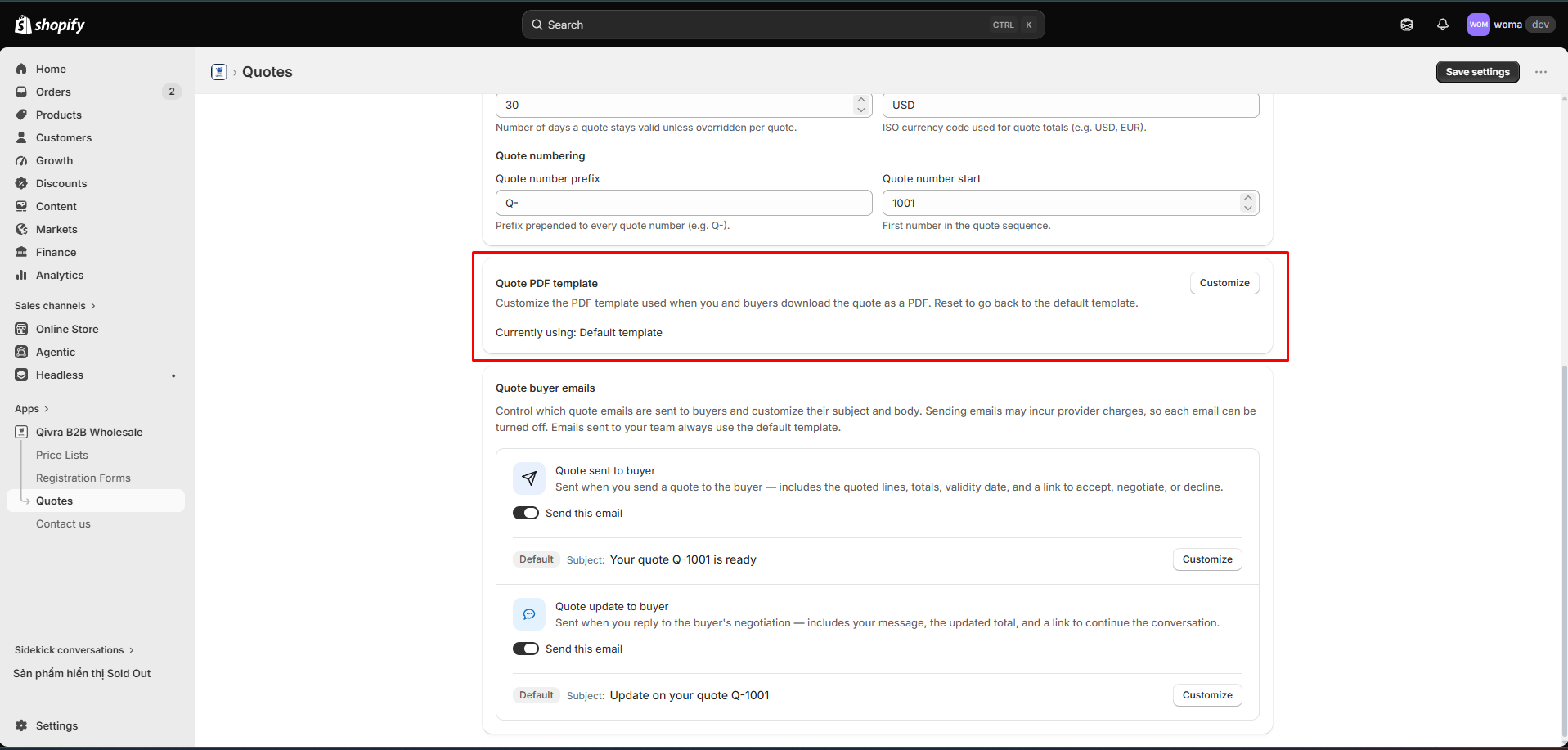
Section titled “Open the template editor”- Go to Quotes → Settings tab.
- Find the PDF template section. It shows whether you are Using default template or Using custom template.
- Click Customize (or Edit template if you already have a custom one).
The editor opens as a split view: settings on the left, live PDF preview on the right.
Tab 1: Visual builder
Section titled “Tab 1: Visual builder”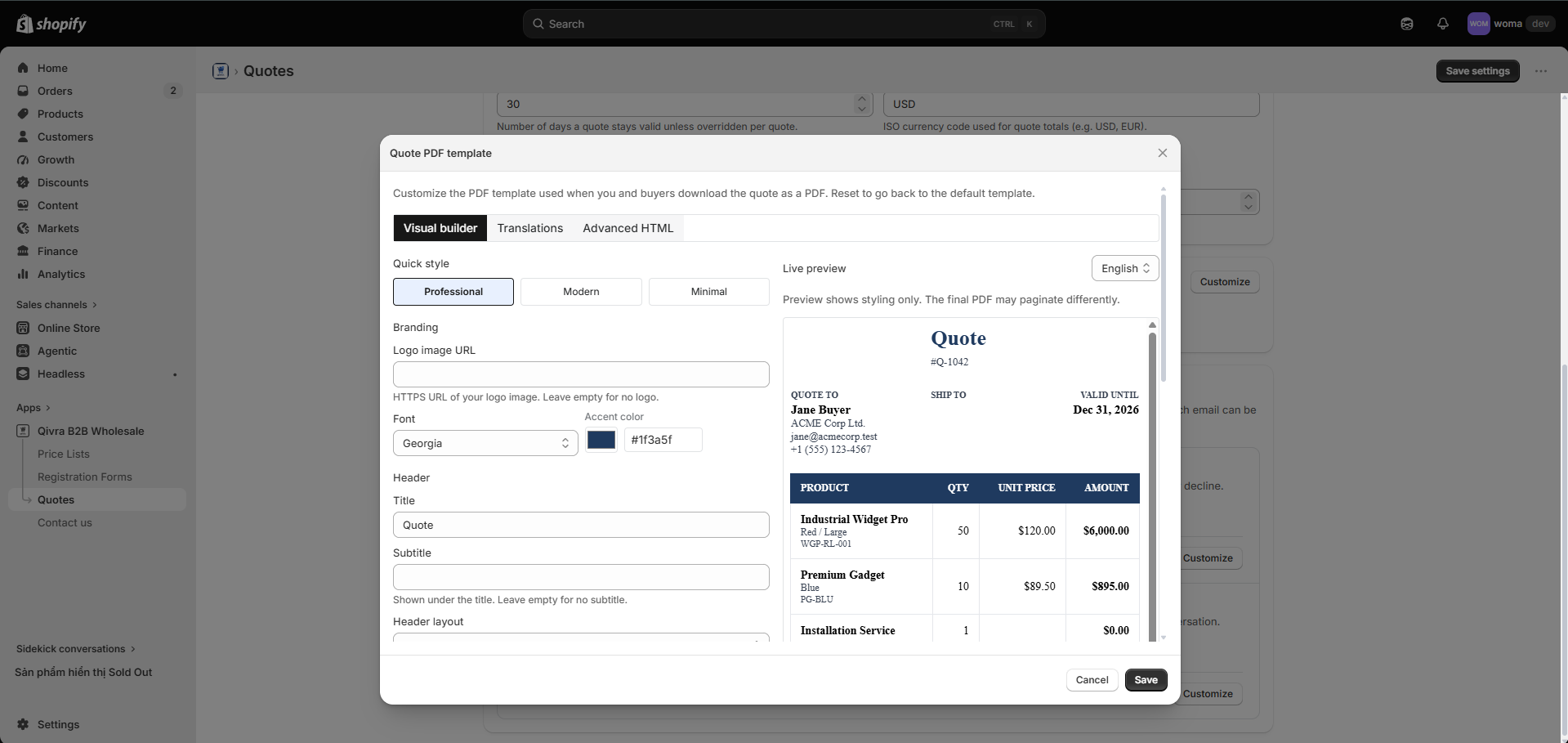
Design the PDF without touching code.
Pick a starting point: Professional, Modern, or Minimal.
Branding
Section titled “Branding”| Setting | What it controls |
|---|---|
| Logo URL | Your logo, shown in the header |
| Font | System, Arial, Helvetica, or Georgia |
| Accent color | Headings, accents, and highlights |
Layout
Section titled “Layout”- Header title and subtitle — e.g. “Wholesale Quote” / “Prepared for you”.
- Header layout — logo left, logo right, or hidden.
Sections
Section titled “Sections”Toggle the PDF sections on or off:
- Quote to (bill-to block)
- Shipping address
- Valid until
- Notes
- Totals
- Savings
Line item columns
Section titled “Line item columns”For the line-items table you can:
- Reorder columns by dragging.
- Show/hide each column.
- Rename column headers (per language — see Translations).
- Toggle product details (e.g. variant/SKU info) under each line.
Tab 2: Translations
Section titled “Tab 2: Translations”Translate every PDF label into each of your store’s enabled locales:
- Pick a locale from the selector.
- Edit the labels — quote to, ship to, valid until, notes, subtotal, shipping, tax, total, you save, thank you, and the line-item column headers.
Buyers downloading a PDF get it in the quote’s locale.
Tab 3: Advanced HTML
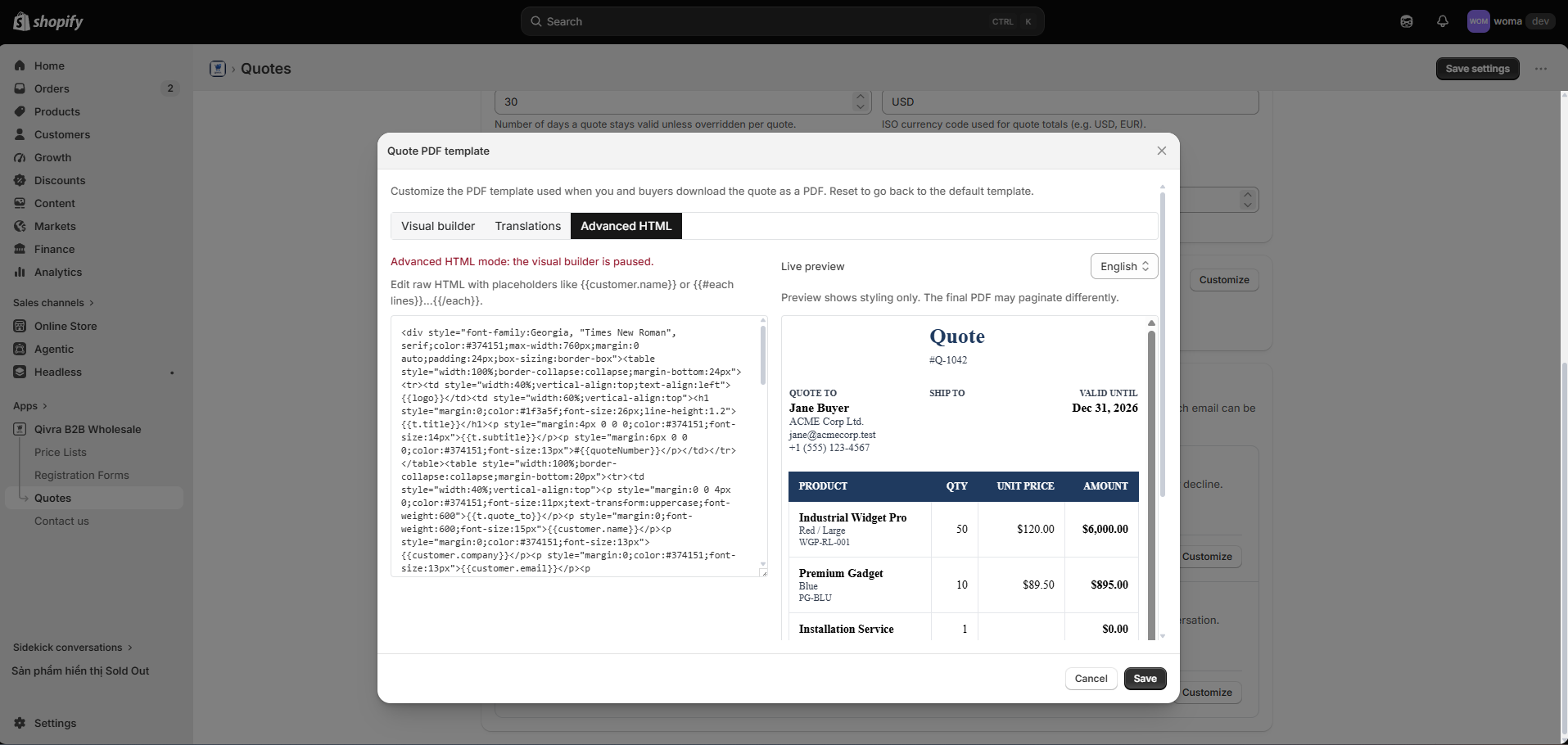
Section titled “Tab 3: Advanced HTML”For full control, switch to the Advanced HTML tab and write your own template:
- The editor accepts raw HTML with inline styles.
- Use variables such as
{{quote.*}}(quote data),{{t.*}}(translated labels),{{shop.*}}(shop data), and{{customer.*}}(customer data). - Switching from the visual builder to HTML is a one-way change — confirm before proceeding.
Save, reset, and apply
Section titled “Save, reset, and apply”- Save your template from the editor. The custom template is used for all new PDF downloads immediately.
- Reset to default discards your custom template and restores the standard layout. This cannot be undone.
Download a quote PDF
Section titled “Download a quote PDF”On any quote detail page, click Download PDF — see Manage quotes for details and troubleshooting.