Warranty Registration Form
Warranty registration forms help customers register their products for warranty coverage. This guide covers the warranty form templates available in Qivra Form Builder.
Why Use Warranty Forms?
Section titled “Why Use Warranty Forms?”Warranty forms help you:
| Benefit | Description |
|---|---|
| Track Ownership | Know who owns your products |
| Validate Claims | Verify warranty eligibility |
| Communicate | Reach customers for recalls/updates |
| Build Relationships | Stay connected post-purchase |
Available Warranty Templates
Section titled “Available Warranty Templates”Warranty Registration Form
Section titled “Warranty Registration Form”Standard warranty registration for products.
Included Fields:
| Field | Type | Required |
|---|---|---|
| Customer Name | Text | Yes |
| Yes | ||
| Phone | Phone | Yes |
| Address | Text Area | Yes |
| Product Name | Text | Yes |
| Model Number | Text | Yes |
| Serial Number | Text | Yes |
| Purchase Date | Date | Yes |
| Purchase Location | Dropdown | Yes |
| Order Number | Text | No |
| Proof of Purchase | File Upload | Yes |
Best For:
- Consumer electronics
- Appliances
- Any product with warranty
Extended Warranty Form
Section titled “Extended Warranty Form”For purchasing extended warranty coverage.
Included Fields:
| Field | Type | Required |
|---|---|---|
| Customer Name | Text | Yes |
| Yes | ||
| Phone | Phone | Yes |
| Product | Product Selector | Yes |
| Serial Number | Text | Yes |
| Purchase Date | Date | Yes |
| Original Warranty End | Date | Yes |
| Extended Plan | Radio | Yes |
| Payment Method | Radio | Yes |
| Terms Agreement | Checkbox | Yes |
Best For:
- Extended warranty sales
- Protection plans
- Service contracts
Product Registration Form
Section titled “Product Registration Form”Simple registration without warranty details.
Included Fields:
| Field | Type | Required |
|---|---|---|
| Name | Text | Yes |
| Yes | ||
| Product | Dropdown | Yes |
| Serial Number | Text | No |
| Purchase Date | Date | No |
| Where Purchased | Dropdown | No |
| How Did You Hear | Dropdown | No |
Best For:
- Quick registration
- Marketing data collection
- Customer database building
Using a Warranty Template
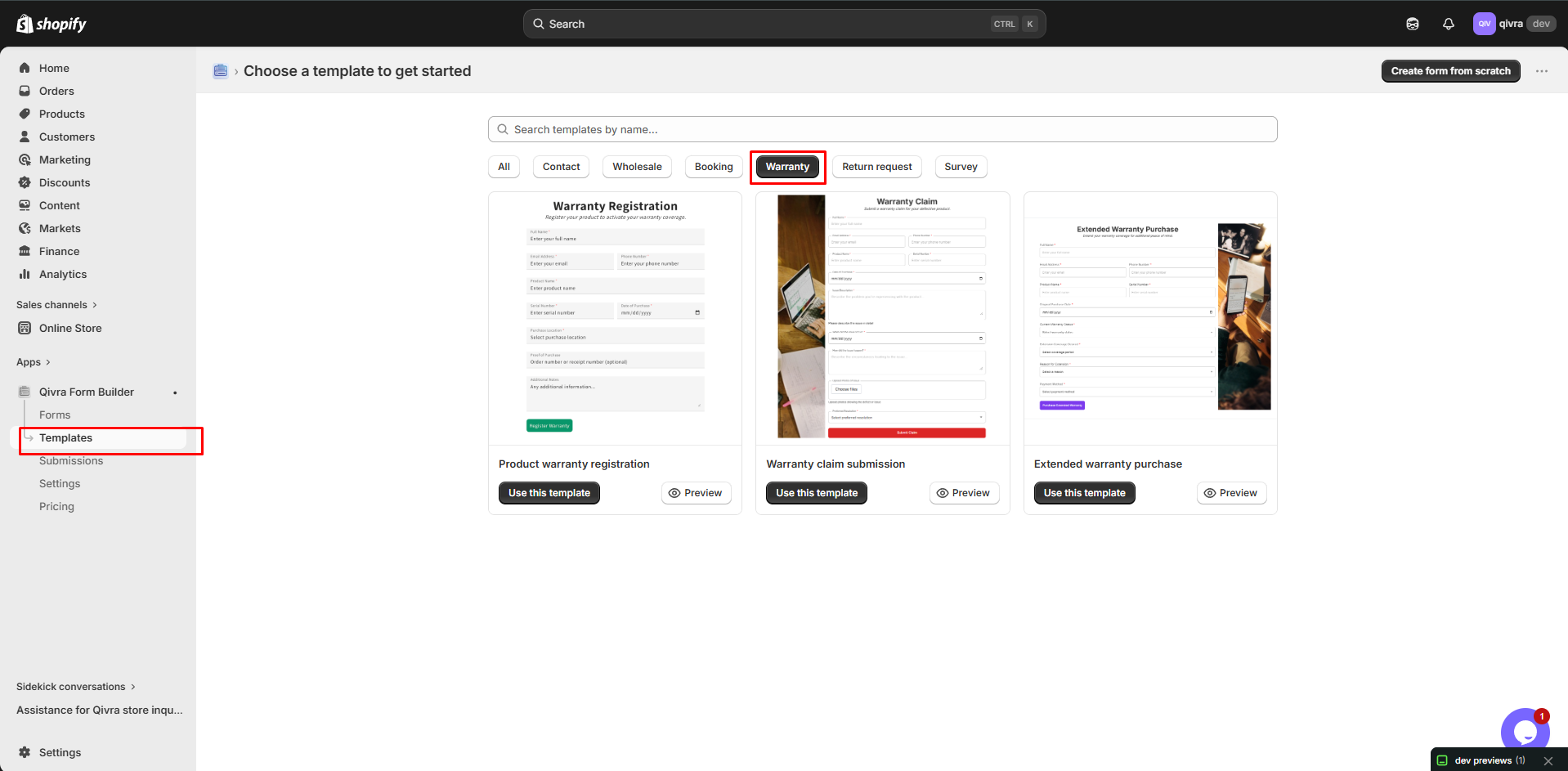
Section titled “Using a Warranty Template”Step 1: Access Templates
Section titled “Step 1: Access Templates”- Go to Qivra Form Builder
- Click Templates
- Filter by “Warranty” category
Step 2: Preview and Select
Section titled “Step 2: Preview and Select”- Preview available templates
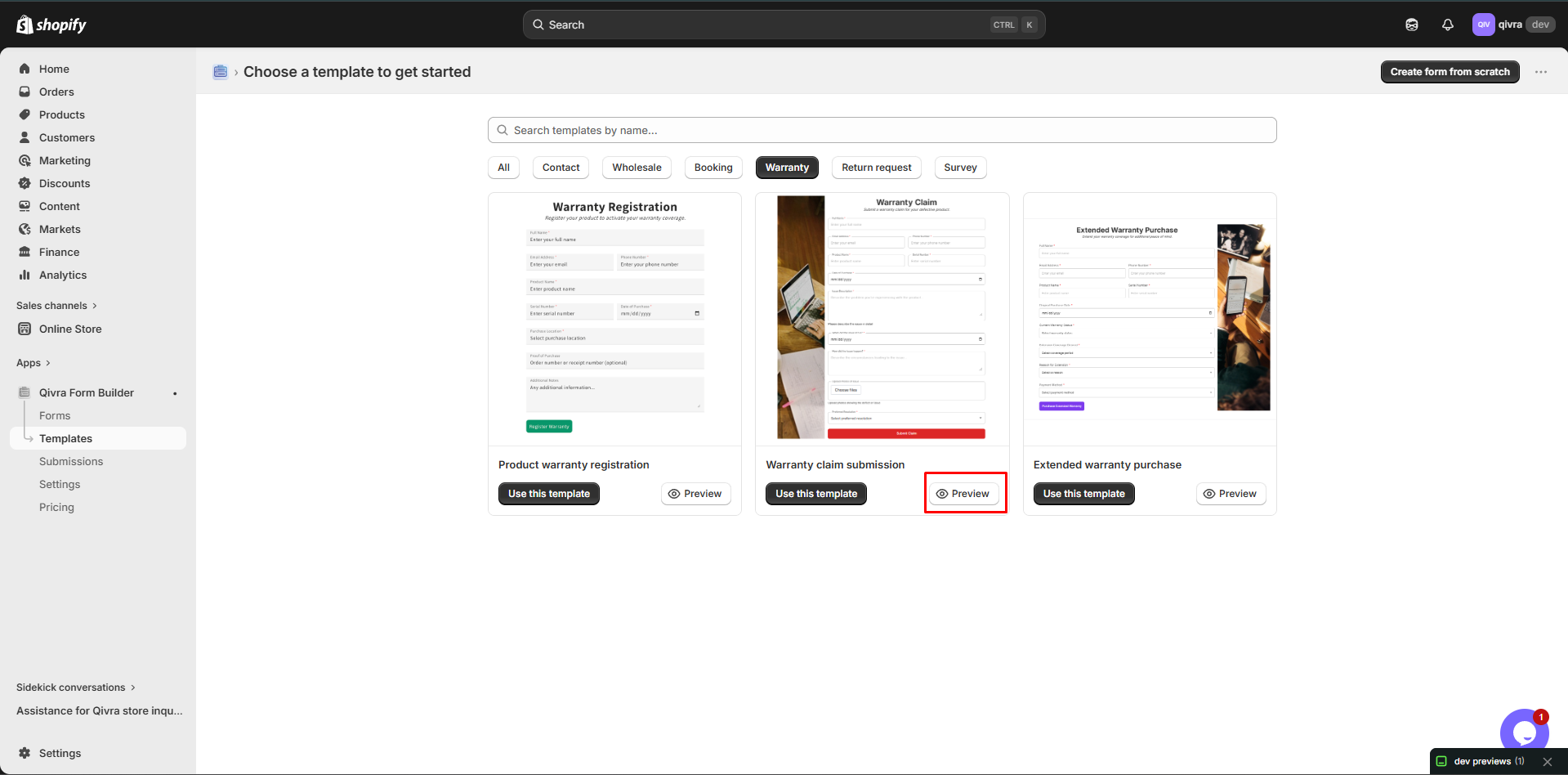
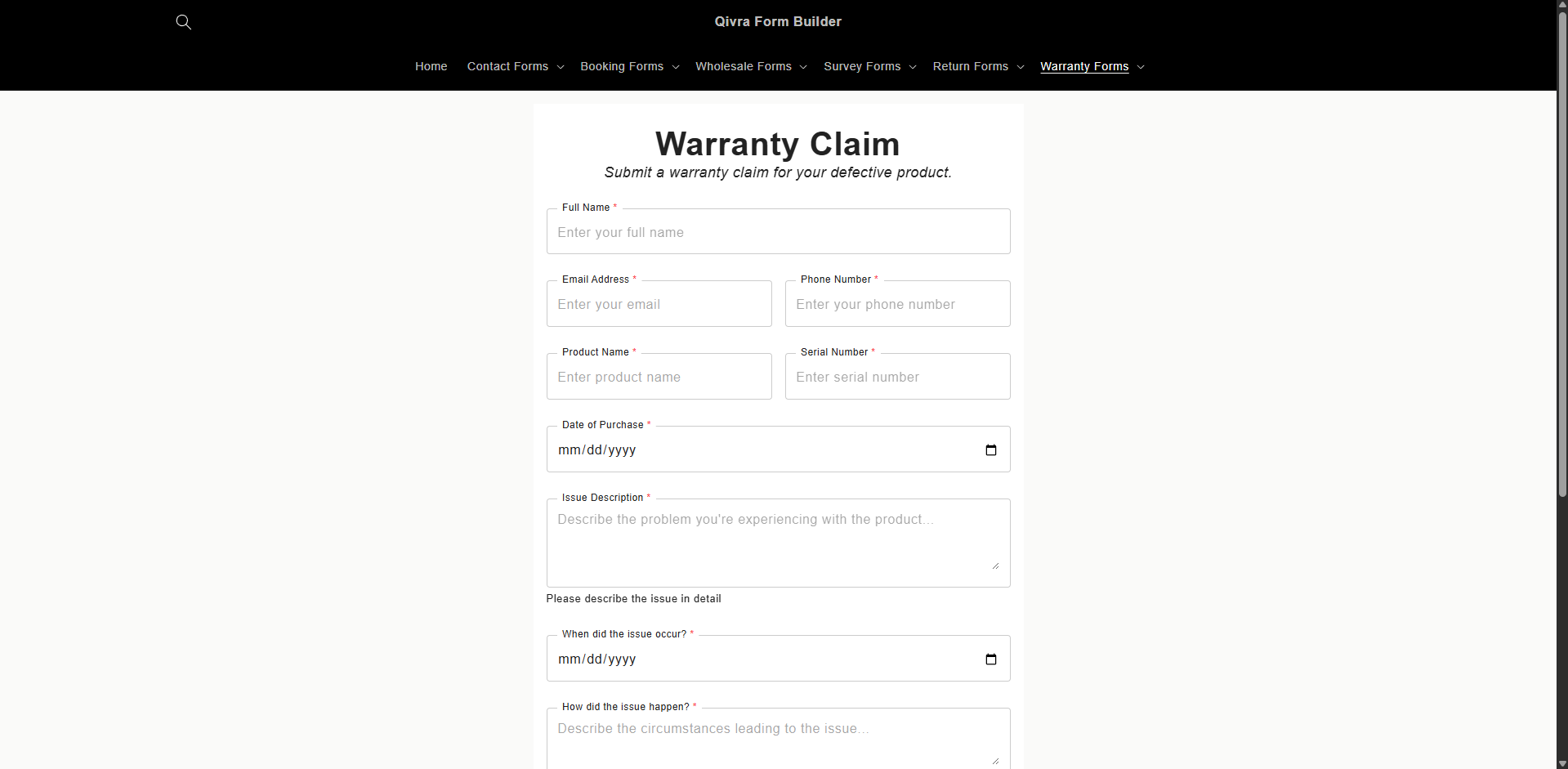
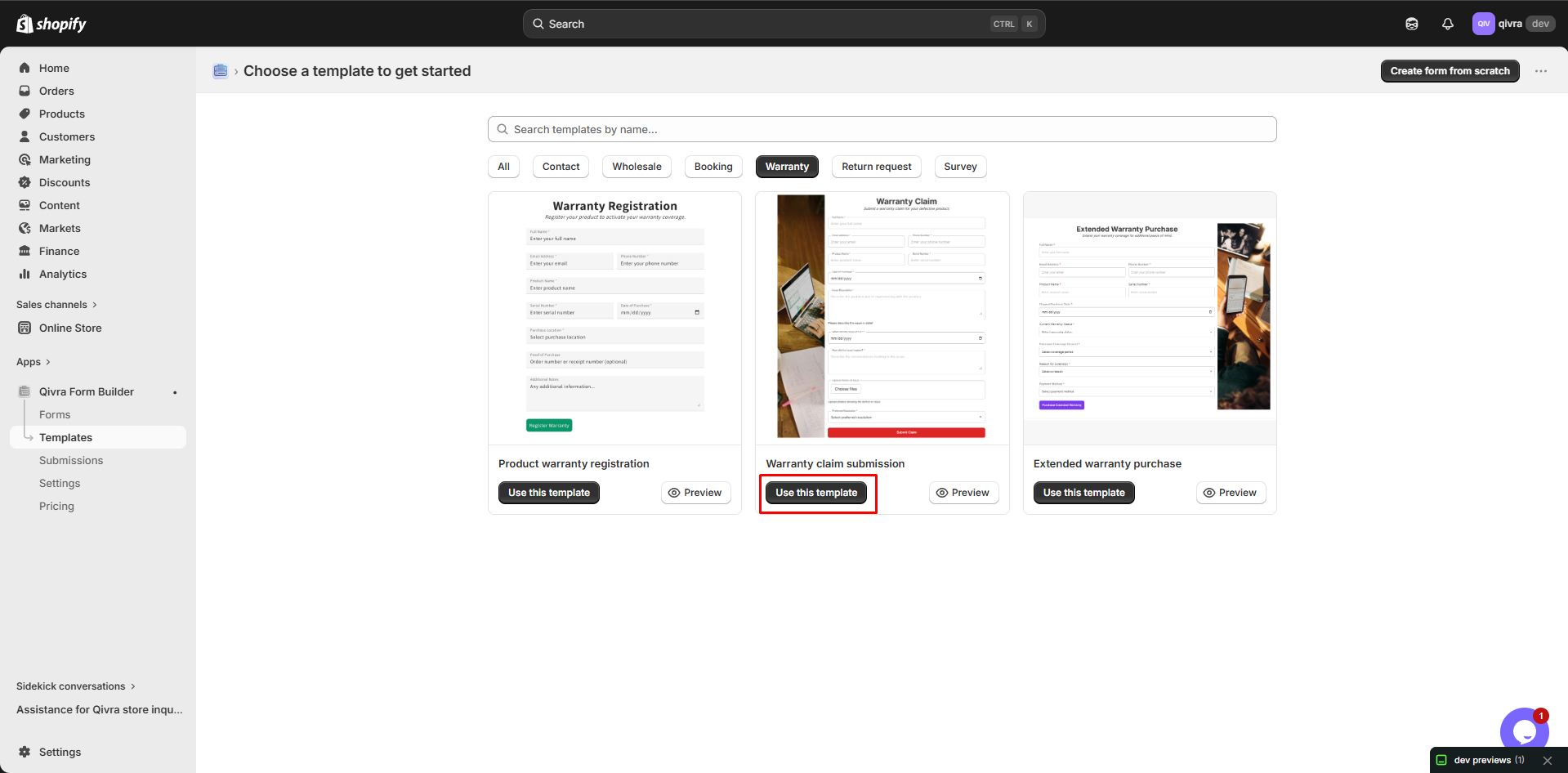
- Choose one matching your needs
- Click Use this template
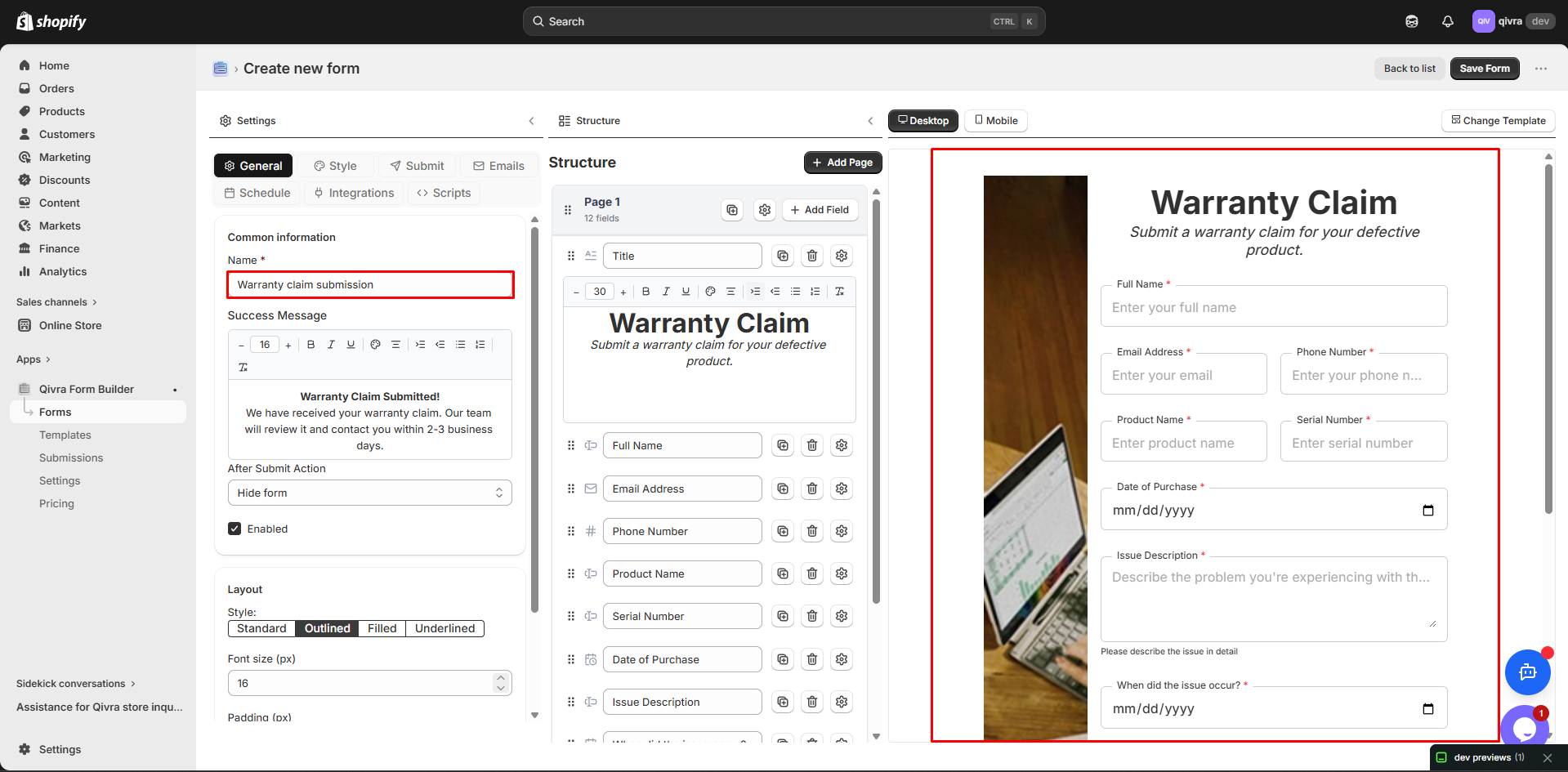
Step 3: Customize
Section titled “Step 3: Customize”Modify for your products:
- Add your product list
- Update warranty terms
- Adjust required fields
- Add your branding
Customizing Warranty Forms
Section titled “Customizing Warranty Forms”Product Selection
Section titled “Product Selection”Option 1: Dropdown
- List all products
- Good for limited catalog
Option 2: Product Selector
- Search and select
- Best for large catalogs
- Includes product images
Option 3: Text Input
- Customer enters product name
- Flexible for any product
Serial Number Field
Section titled “Serial Number Field”Configure for your format:
| Setting | Description |
|---|---|
| Placeholder | Show format example |
| Validation | Match your format |
| Help Text | Where to find it |
Example Help Text:
Serial number is located on the bottom of the product.Format: XX-XXXXX-XXXXPurchase Location Options
Section titled “Purchase Location Options”Common options:
| Option | Description |
|---|---|
| Online Store | Your website |
| Amazon | Marketplace |
| Retail Store | Physical locations |
| Authorized Dealer | Partner stores |
| Other | Catch-all |
File Upload for Proof
Section titled “File Upload for Proof”Configure upload settings:
| Setting | Recommendation |
|---|---|
| Allowed Types | PDF, JPG, PNG |
| Max Size | 10MB |
| Max Files | 2 |
Multi-Step Warranty Forms
Section titled “Multi-Step Warranty Forms”Break long forms into steps:
Recommended Structure
Section titled “Recommended Structure”Step 1: Customer Information
- Name
- Phone
- Address
Step 2: Product Information
- Product Name
- Model Number
- Serial Number
- Purchase Date
Step 3: Purchase Details
- Where Purchased
- Order Number
- Proof of Purchase Upload
Step 4: Confirmation
- Review information
- Terms agreement
- Submit
Benefits
Section titled “Benefits”| Benefit | Why It Matters |
|---|---|
| Less overwhelming | More completions |
| Progress tracking | Users see progress |
| Error prevention | Easier to review |
Warranty Form Best Practices
Section titled “Warranty Form Best Practices”Essential Information
Section titled “Essential Information”Always collect:
| Field | Why Needed |
|---|---|
| Customer info | Contact for claims |
| Product details | Identify the item |
| Serial number | Unique identification |
| Purchase date | Validate warranty period |
| Proof of purchase | Verify legitimacy |
Clear Instructions
Section titled “Clear Instructions”Help customers complete the form:
How to Find Your Serial Number:1. Look on the bottom of the product2. Check the product packaging3. Find it in your order confirmation email
Format: XX-XXXXX-XXXX
Warranty Terms
Section titled “Warranty Terms”Include key terms in the form:
Warranty Coverage:- Duration: 2 years from purchase date- Covers: Manufacturing defects- Does not cover: Accidental damage, misuse
Full terms: [Link to warranty policy]
Privacy Notice
Section titled “Privacy Notice”Include privacy information:
Your information is used to:- Register your warranty- Contact you about your product- Send important updates
We never sell your personal information.
Post-Registration Confirmation
Section titled “Post-Registration Confirmation”Auto-Reply Email
Section titled “Auto-Reply Email”Send confirmation immediately:
Thank you for registering your product!
Registration Details:- Product: {product_name}- Serial: {serial_number}- Warranty Valid Until: {warranty_end_date}
Keep this email for your records.
To file a claim: {claim_link}Questions? Contact us at {support_email}
Warranty Certificate
Section titled “Warranty Certificate”Generate certificate:
- Include registration details
- Add warranty period
- Reference number
- Terms summary
Managing Warranty Registrations
Section titled “Managing Warranty Registrations”Notification Setup
Section titled “Notification Setup”- Notify customer service of registrations
- Include all relevant details
- Link to customer record
Database Management
Section titled “Database Management”Track registrations:
| Data Point | Use |
|---|---|
| Customer info | Contact for claims |
| Product details | Identify coverage |
| Purchase date | Calculate expiration |
| Serial number | Verify authenticity |
Expiration Tracking
Section titled “Expiration Tracking”Monitor warranty periods:
- Track registration dates
- Calculate expiration
- Send renewal reminders
- Update status
Displaying Warranty Forms
Section titled “Displaying Warranty Forms”In Product Packaging
Section titled “In Product Packaging”Include QR code or URL:
- Print on warranty card
- Include in manual
- Sticker on product
Post-Purchase Email
Section titled “Post-Purchase Email”Send registration link:
- Automated after purchase
- Include in order confirmation
- Follow-up sequence
Product Pages
Section titled “Product Pages”Link to registration:
- “Register Warranty” button
- In product tabs
- After-purchase section
Customer Account
Section titled “Customer Account”Add to account area:
- Registered products list
- Quick registration form
- Warranty status
Integration Options
Section titled “Integration Options”CRM Integration
Section titled “CRM Integration”Sync to customer database:
- Mailchimp
- Klaviyo
- Custom CRM
Support Integration
Section titled “Support Integration”Connect to support system:
- Link registrations to tickets
- Verify warranty in support
- Track claim history