Survey & Feedback Form
Survey and feedback forms help you gather insights from customers to improve your products and services. This guide covers the survey form templates available in Qivra Form Builder.
Why Use Survey Forms?
Section titled “Why Use Survey Forms?”Survey forms help you:
| Benefit | Description |
|---|---|
| Gather Insights | Understand customer needs |
| Measure Satisfaction | Track NPS and CSAT |
| Improve Products | Get feedback for development |
| Make Decisions | Data-driven improvements |
Available Survey Templates
Section titled “Available Survey Templates”Customer Satisfaction Survey
Section titled “Customer Satisfaction Survey”Measure overall customer satisfaction.
Included Fields:
| Field | Type | Required |
|---|---|---|
| No | ||
| Overall Satisfaction | Rating (1-5) | Yes |
| Likelihood to Recommend (NPS) | Rating (0-10) | Yes |
| What did you like | Text Area | No |
| What could improve | Text Area | No |
| Additional Comments | Text Area | No |
Best For:
- Post-purchase surveys
- General feedback
- Customer experience tracking
Product Feedback Form
Section titled “Product Feedback Form”Collect specific product feedback.
Included Fields:
| Field | Type | Required |
|---|---|---|
| Product | Product Selector | Yes |
| Overall Rating | Rating (1-5) | Yes |
| Quality Rating | Rating (1-5) | Yes |
| Value Rating | Rating (1-5) | Yes |
| Review Title | Text | Yes |
| Review | Text Area | Yes |
| Pros | Text Area | No |
| Cons | Text Area | No |
| Recommend to Others | Checkbox | Yes |
| Photos | File Upload | No |
Best For:
- Product reviews
- New product feedback
- Quality assessment
Net Promoter Score (NPS) Survey
Section titled “Net Promoter Score (NPS) Survey”Measure customer loyalty with a single question.
Included Fields:
| Field | Type | Required |
|---|---|---|
| No | ||
| How likely to recommend (0-10) | Rating | Yes |
| Reason for score | Text Area | No |
Best For:
- Quick pulse checks
- Loyalty tracking
- Benchmark comparisons
Website Feedback Form
Section titled “Website Feedback Form”Collect feedback about your website.
Included Fields:
| Field | Type | Required |
|---|---|---|
| Overall Experience | Rating (1-5) | Yes |
| Easy to Navigate | Rating (1-5) | Yes |
| Found What I Needed | Radio | Yes |
| Page/Section | Dropdown | No |
| Issue Type | Dropdown | Conditional |
| Description | Text Area | Yes |
| Screenshot | File Upload | No |
| Contact for Follow-up | Checkbox | No |
| Conditional |
Best For:
- UX improvement
- Bug reporting
- Navigation issues
Using a Survey Template
Section titled “Using a Survey Template”Step 1: Access Templates
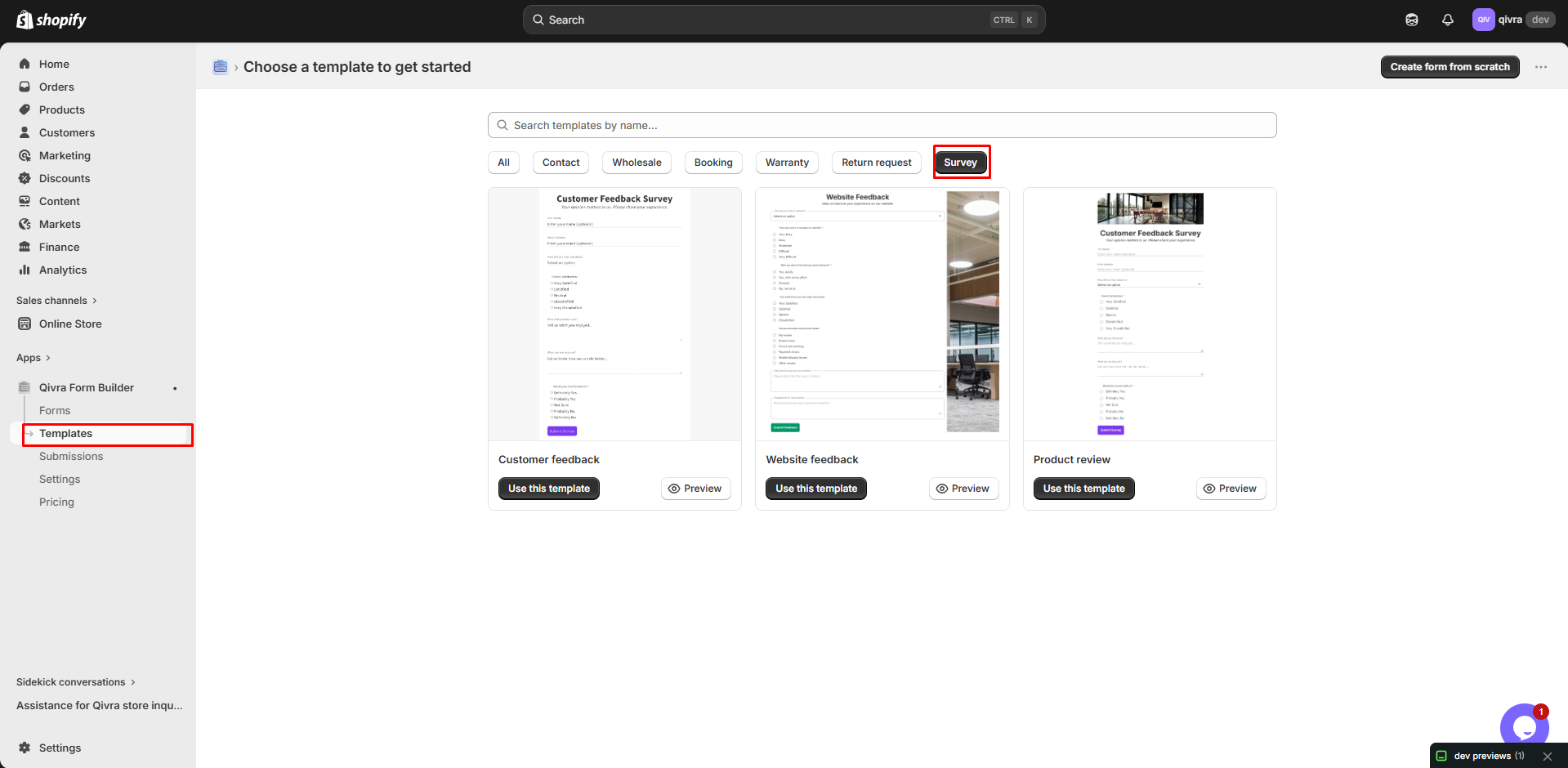
Section titled “Step 1: Access Templates”- Go to Qivra Form Builder
- Click Templates
- Filter by “Survey” category
Step 2: Preview and Select
Section titled “Step 2: Preview and Select”- Preview available templates
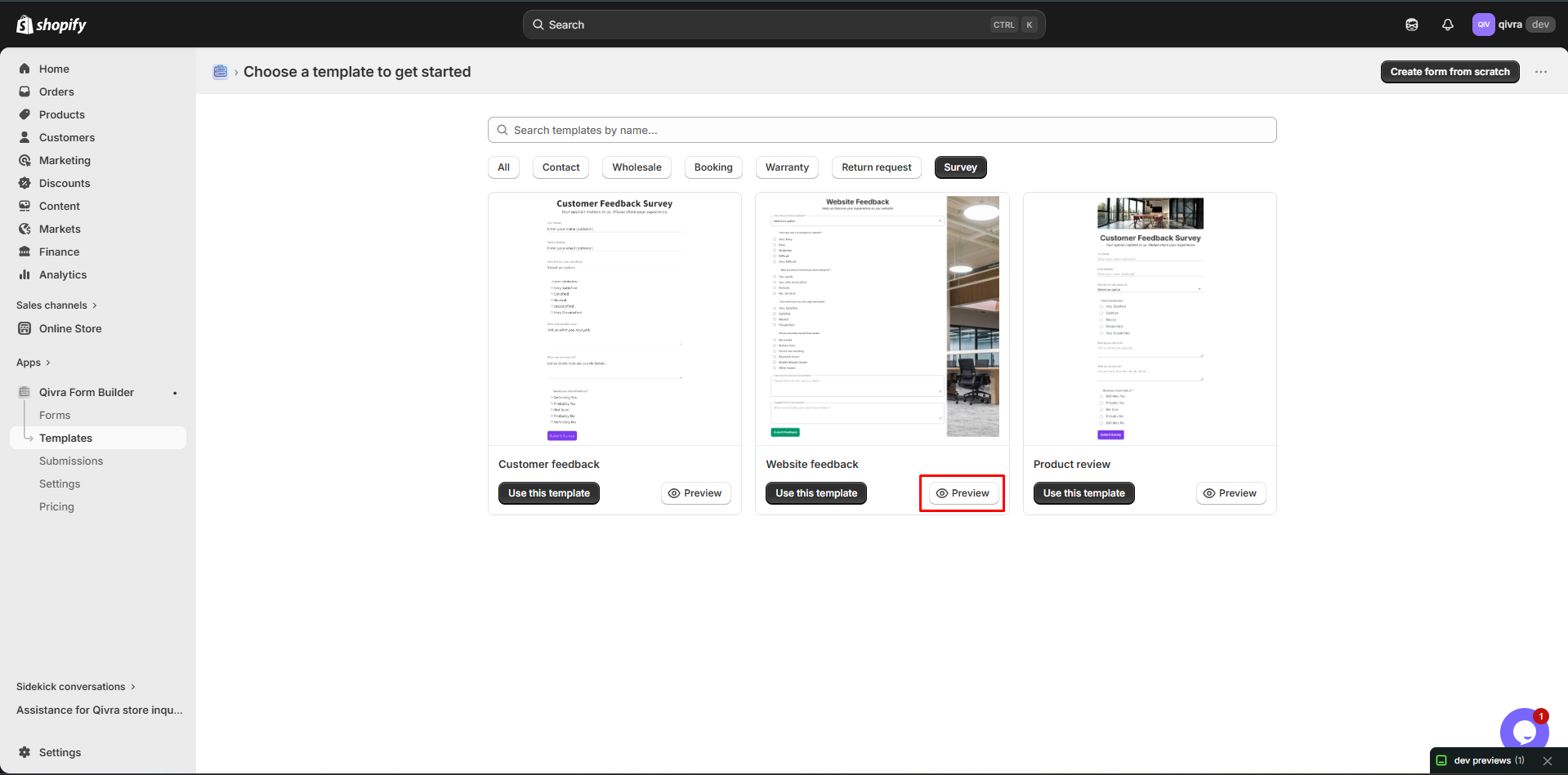
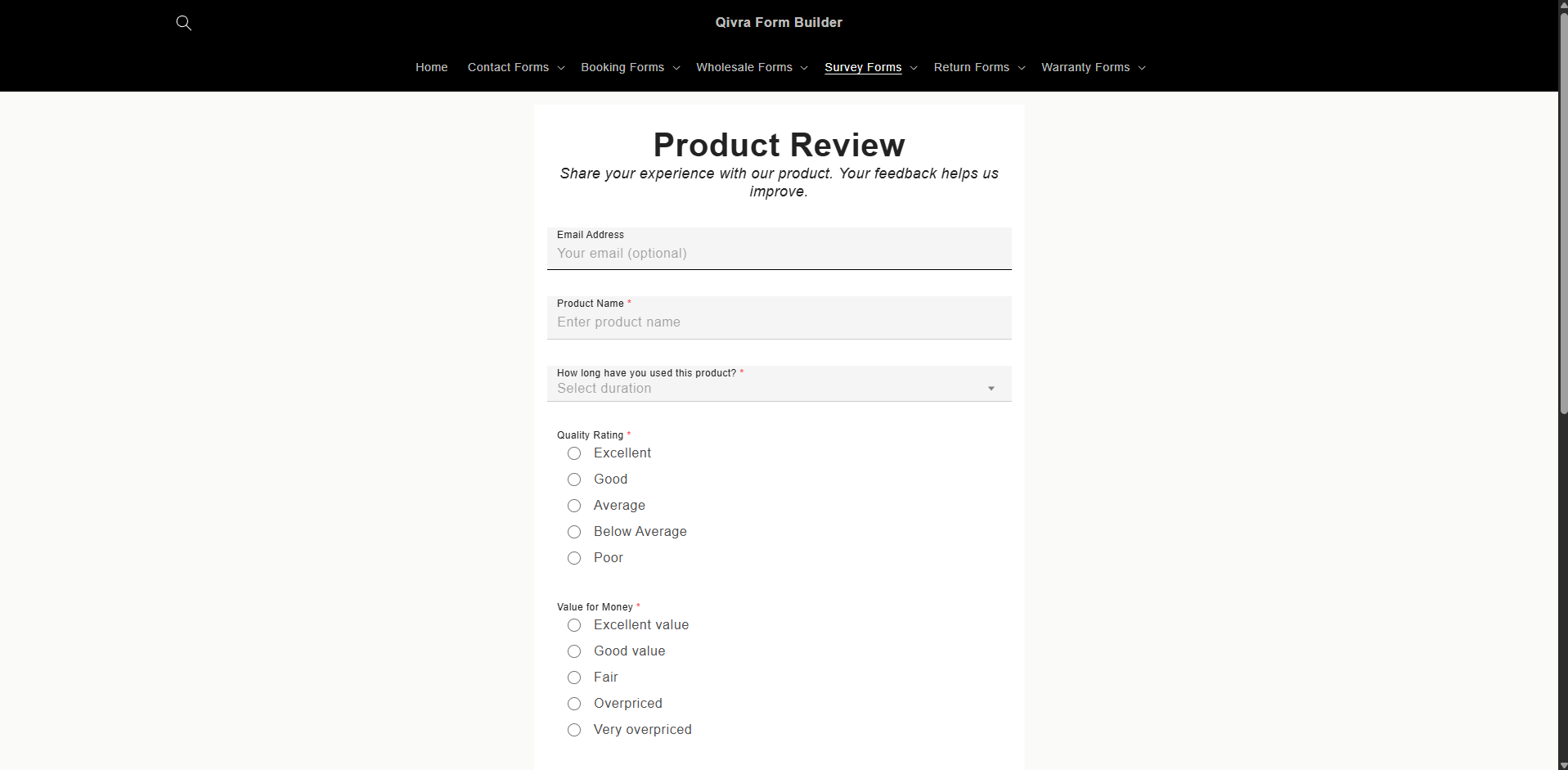
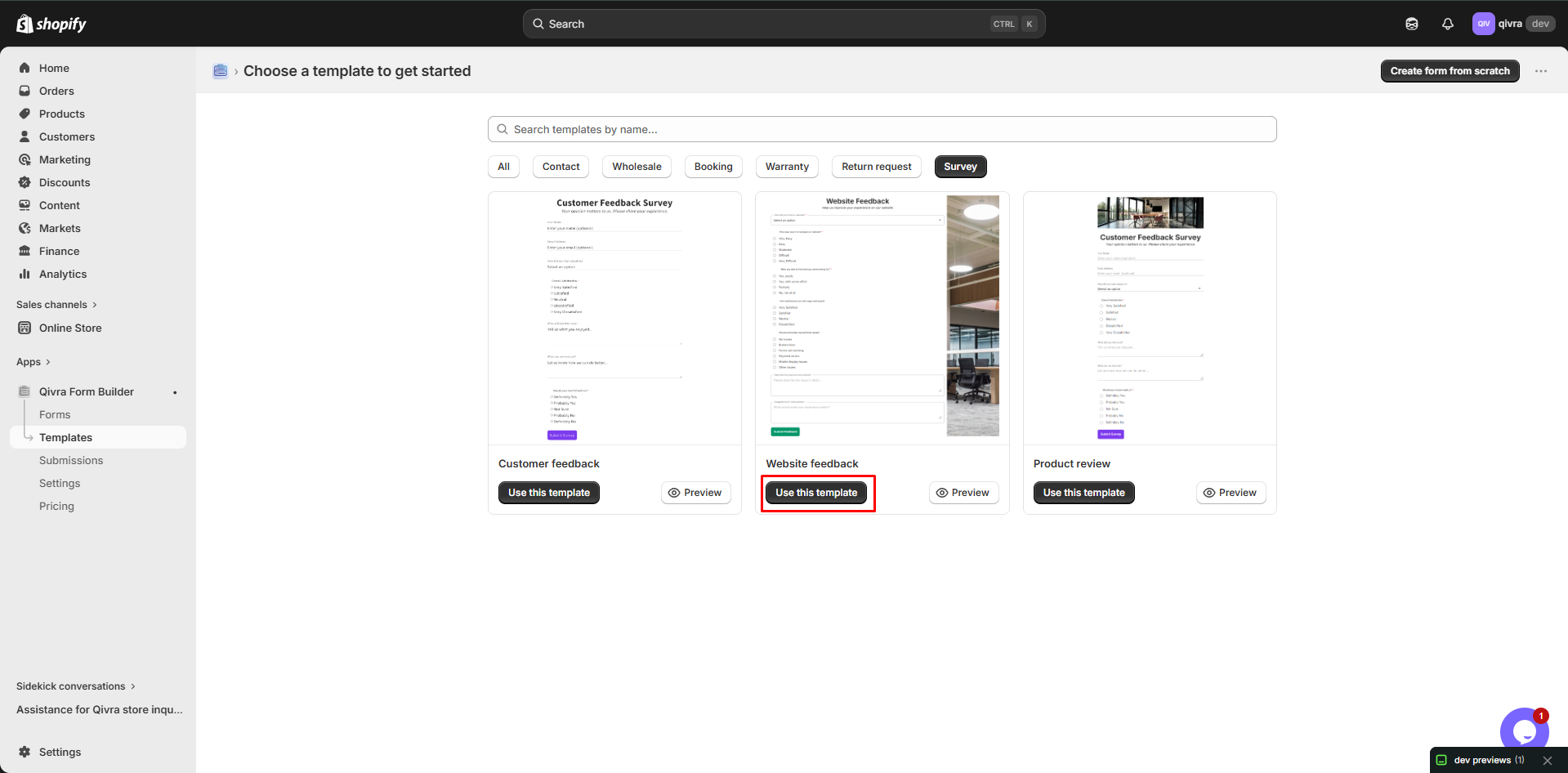
- Choose one matching your goals
- Click Use this template
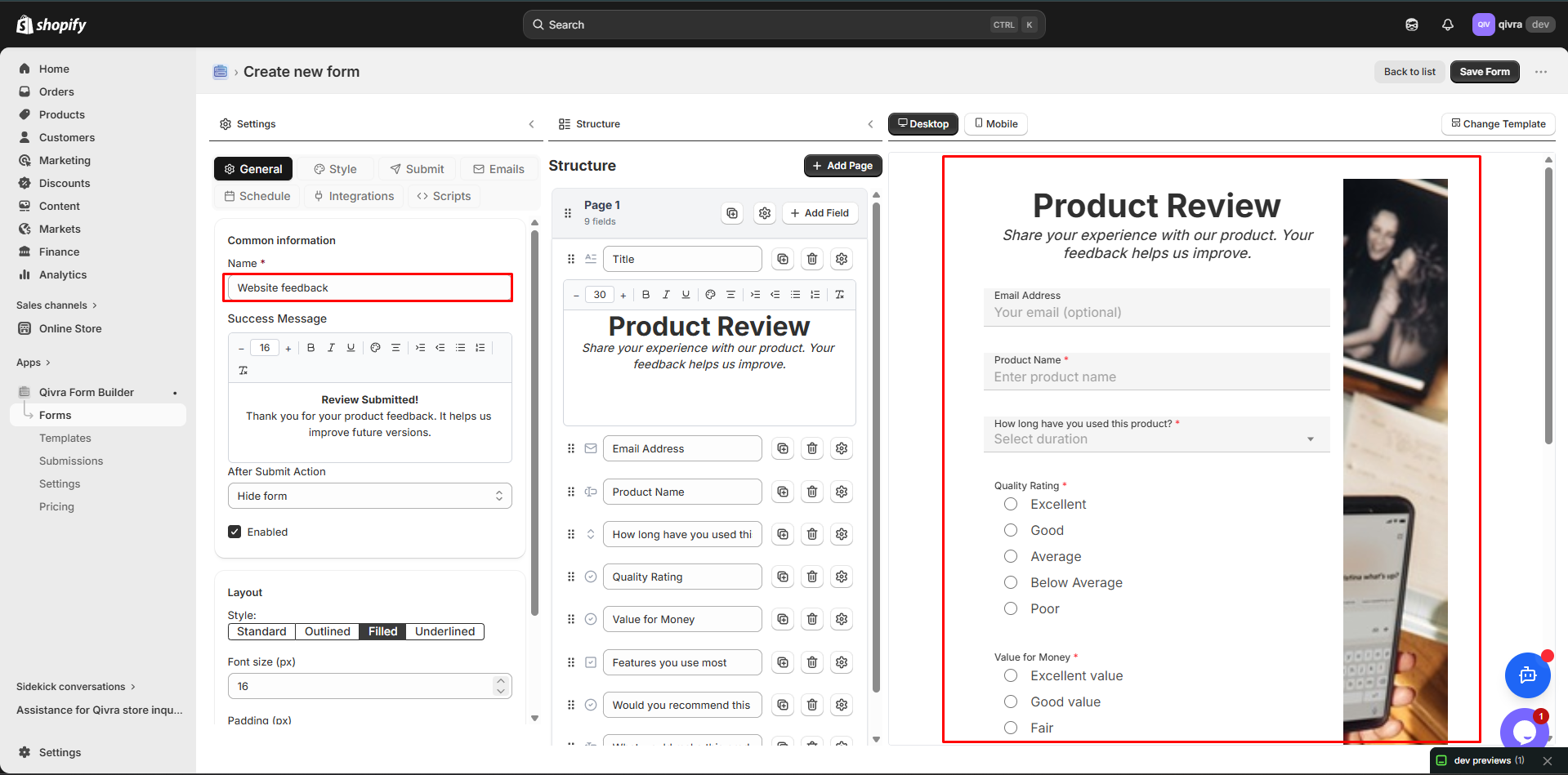
Step 3: Customize
Section titled “Step 3: Customize”Modify for your needs:
- Adjust questions
- Change rating scales
- Add your branding
- Update styling
Customizing Survey Forms
Section titled “Customizing Survey Forms”Rating Scales
Section titled “Rating Scales”Choose appropriate scales:
| Scale | Best For |
|---|---|
| 1-5 | General ratings |
| 1-10 | Detailed feedback |
| 0-10 | NPS surveys |
| Stars | Visual ratings |
| Emoji | Quick reactions |
Question Types
Section titled “Question Types”| Type | Use For |
|---|---|
| Rating | Quantitative measurement |
| Radio | Single choice questions |
| Checkbox | Multiple selections |
| Dropdown | Many options |
| Text Area | Open-ended feedback |
Conditional Questions
Section titled “Conditional Questions”Show follow-up questions:
IF "Overall Satisfaction" <= 2THEN show "What could we improve?"AND require responseIF "Likelihood to Recommend" >= 9THEN show "What do you love about us?"Survey Best Practices
Section titled “Survey Best Practices”Keep It Short
Section titled “Keep It Short”| Recommendation | Why |
|---|---|
| 5-10 questions max | Higher completion rate |
| 2-3 minutes to complete | Respect customer time |
| Only essential questions | Focus on what matters |
Question Design
Section titled “Question Design”| Do | Don’t |
|---|---|
| Clear, simple language | Leading questions |
| One concept per question | Double-barreled questions |
| Consistent scales | Changing scale mid-survey |
| Optional personal info | Require email |
Timing Matters
Section titled “Timing Matters”| When | Survey Type |
|---|---|
| Post-purchase | Satisfaction survey |
| Post-delivery | Product review |
| 30 days after | NPS survey |
| After support | CSAT survey |
Incentives
Section titled “Incentives”Consider offering:
| Incentive | When to Use |
|---|---|
| Discount code | Longer surveys |
| Entry to giveaway | Feedback forms |
| Loyalty points | Customer surveys |
| None needed | Quick NPS |
Multi-Step Surveys
Section titled “Multi-Step Surveys”Break surveys into logical sections:
Example Structure
Section titled “Example Structure”Step 1: About Your Experience
- Overall satisfaction
- Likelihood to recommend
Step 2: Specific Feedback
- Product ratings
- Service ratings
- Website experience
Step 3: Open Feedback
- What you liked
- What to improve
- Additional comments
Progress Indicator
Section titled “Progress Indicator”Show progress to reduce abandonment:
- “Step 1 of 3”
- Progress bar
- Percentage complete
Survey Distribution
Section titled “Survey Distribution”Email Surveys
Section titled “Email Surveys”Send via email:
- Add survey link to email
- Include in order follow-up
- Send in newsletter
- Automated sequences
On-Site Surveys
Section titled “On-Site Surveys”Display on your store:
| Location | Trigger |
|---|---|
| Post-purchase | After checkout |
| Exit intent | Leaving site |
| Time on site | After 30 seconds |
| Scroll | Bottom of page |
Thank You Page
Section titled “Thank You Page”Add survey after actions:
- Post-checkout
- After account creation
- Following support interaction
Product Pages
Section titled “Product Pages”Link to product feedback:
- “Write a Review” button
- Feedback form in tabs
- Quick rating widget
Analyzing Survey Results
Section titled “Analyzing Survey Results”Key Metrics to Track
Section titled “Key Metrics to Track”| Metric | Description |
|---|---|
| Response Rate | % who completed survey |
| NPS Score | Promoters - Detractors |
| CSAT Score | Average satisfaction rating |
| Sentiment | Positive vs. negative feedback |
Using the Data
Section titled “Using the Data”- Identify Trends - Look for patterns
- Prioritize Issues - Focus on biggest impact
- Take Action - Make improvements
- Follow Up - Close the loop
- Track Changes - Measure improvement
Closing the Loop
Section titled “Closing the Loop”Respond to feedback:
| Feedback Type | Response |
|---|---|
| Positive | Thank you message |
| Negative | Reach out to resolve |
| Suggestions | Acknowledge and consider |
| Complaints | Investigate and fix |
Survey Form Display Options
Section titled “Survey Form Display Options”Popup Survey
Section titled “Popup Survey”Use button trigger:
- Set Trigger to BUTTON
- Position: Floating
- Button text: “Feedback”
- Show on specific pages
Embedded Survey
Section titled “Embedded Survey”Add directly to pages:
- Use AUTO or EMBEDDING trigger
- Place in content area
- Good for dedicated pages
Exit Intent Survey
Section titled “Exit Intent Survey”Show when leaving:
- Use BUTTON trigger
- Enable Exit Intent
- Quick 1-2 questions
- Non-intrusive