Embed a Registration Form via Shortcode
This guide shows how to embed a B2B registration form using a shortcode / embed script, so you can place it in page content, blog posts, or custom Liquid without the Theme Editor.
Before you begin
Section titled “Before you begin”- You have created a registration form and enabled it.
- You have enabled the app embed.
Step 1: Get the embed script
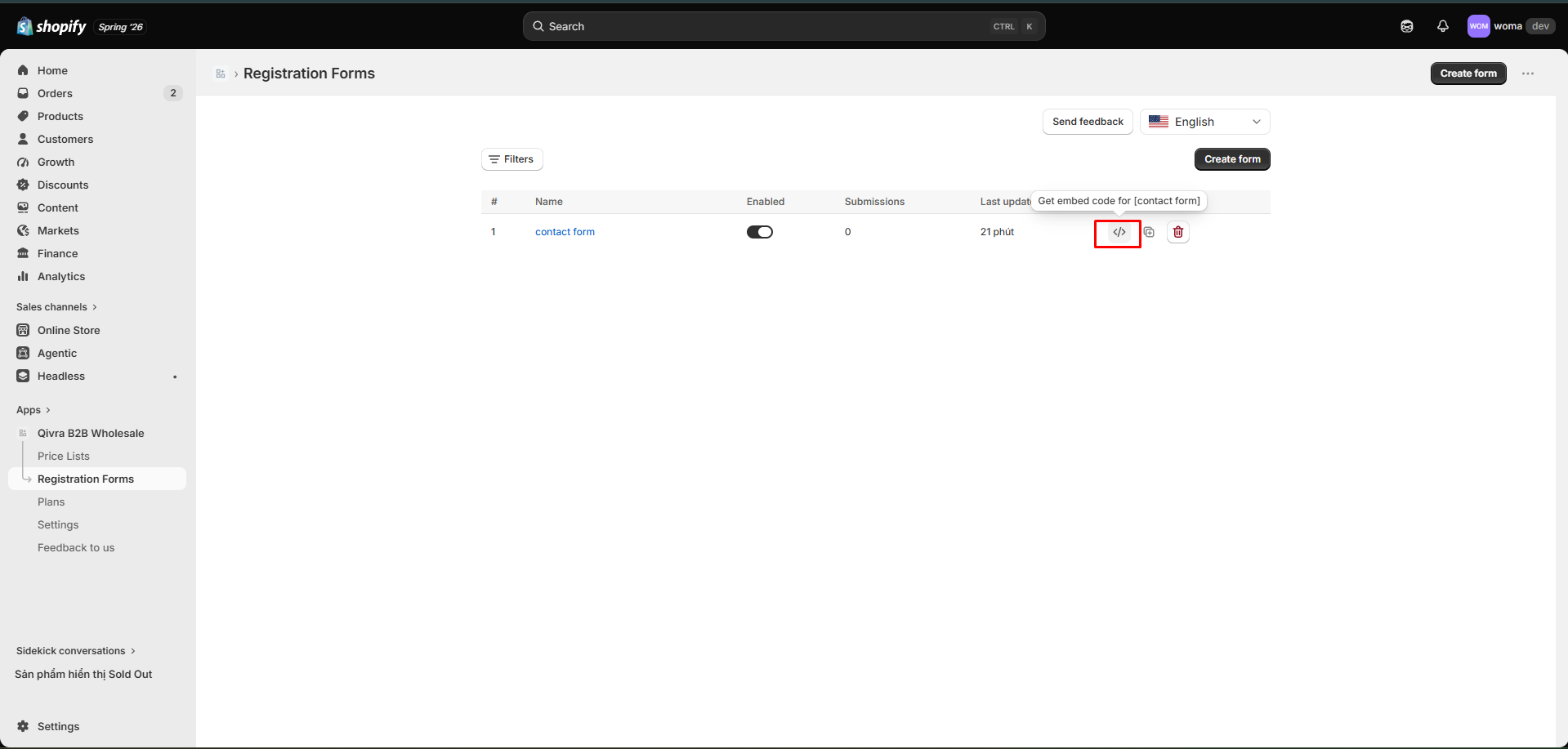
Section titled “Step 1: Get the embed script”- Go to Registrations in the app.
- Find the form you want to embed.
- Open the row actions → Embed script.
- A modal opens showing the embed code for that form.
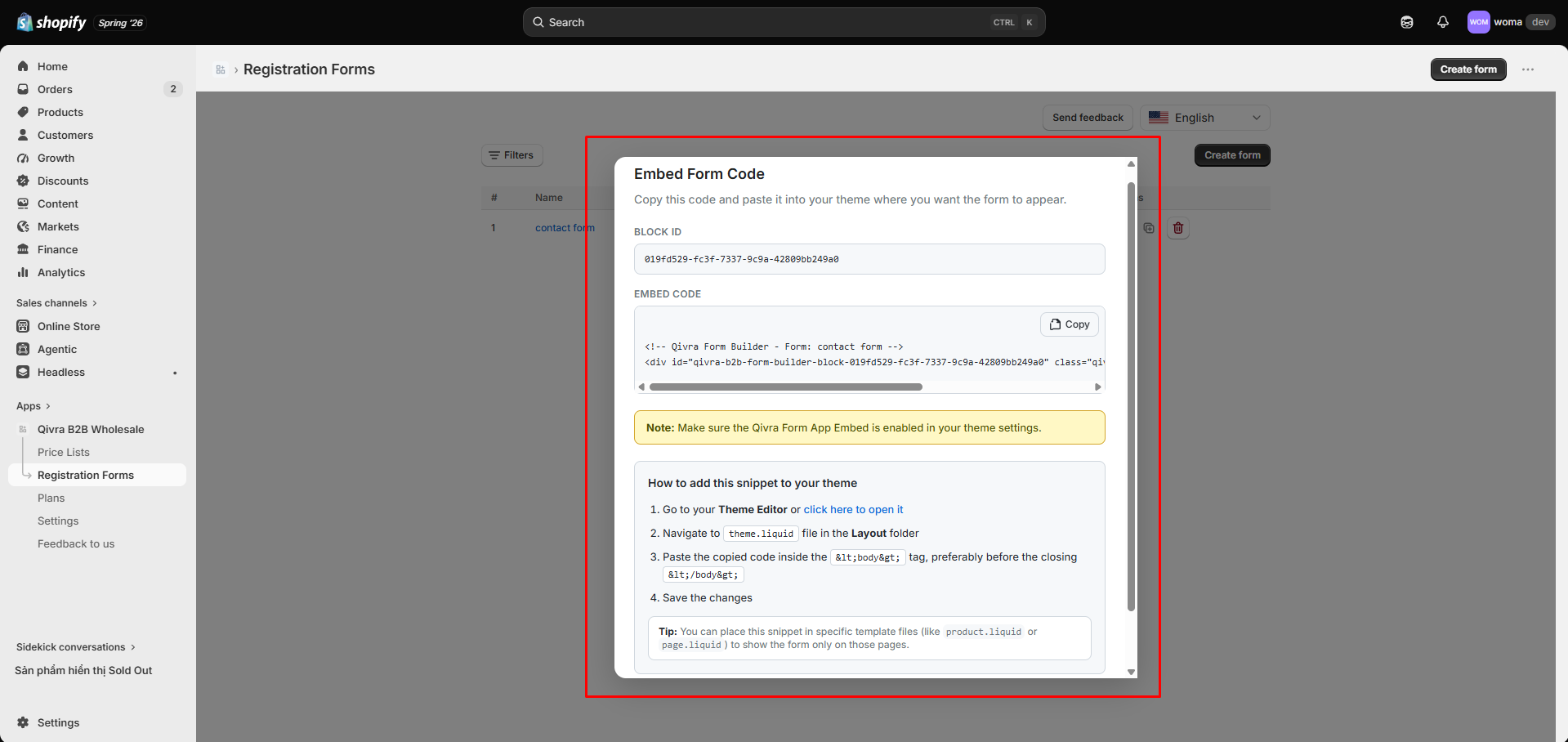
The embed creates a container such as:
<div id="qivra-form-builder-block-{blockId}"></div>plus the script tag that loads the registration form into that container.
Step 2: Paste it where you want the form
Section titled “Step 2: Paste it where you want the form”Choose where to place the embed:
Option A: A Shopify page (rich text)
Section titled “Option A: A Shopify page (rich text)”- In the Shopify admin, go to Online Store → Pages (or Blog posts).
- Open the page where you want the form.
- In the content area, switch to the HTML/
<>source view. - Paste the embed code.
- Save.
Option B: Custom Liquid
Section titled “Option B: Custom Liquid”- In the Theme Editor, add a Custom Liquid block to a section.
- Paste the embed code into the Custom Liquid block.
- Save.
Step 3: Preview
Section titled “Step 3: Preview”Open the page on your storefront. The registration form should render inside the container.
If nothing appears, confirm the app embed is on (see Enable the app embed) and that the form is Enabled in the registrations list.
When to use shortcode vs. block
Section titled “When to use shortcode vs. block”| Method | Best for |
|---|---|
| Embed shortcode | Page content, blog posts, custom Liquid, or any place a block can’t reach |
| Theme Editor block | Drag-and-drop placement in theme sections |
See Add a form via Theme Editor block for the alternative method.
Related docs
Section titled “Related docs”- Enable the app embed
- Add a registration form via Theme Editor block
- Create a registration form
- Manage submissions