Product Selection and Per-Variant Overrides
This guide explains the Product selection options on a price list and how to use the per-variant override table to set exact prices, discounts, or volume tiers for individual variants.
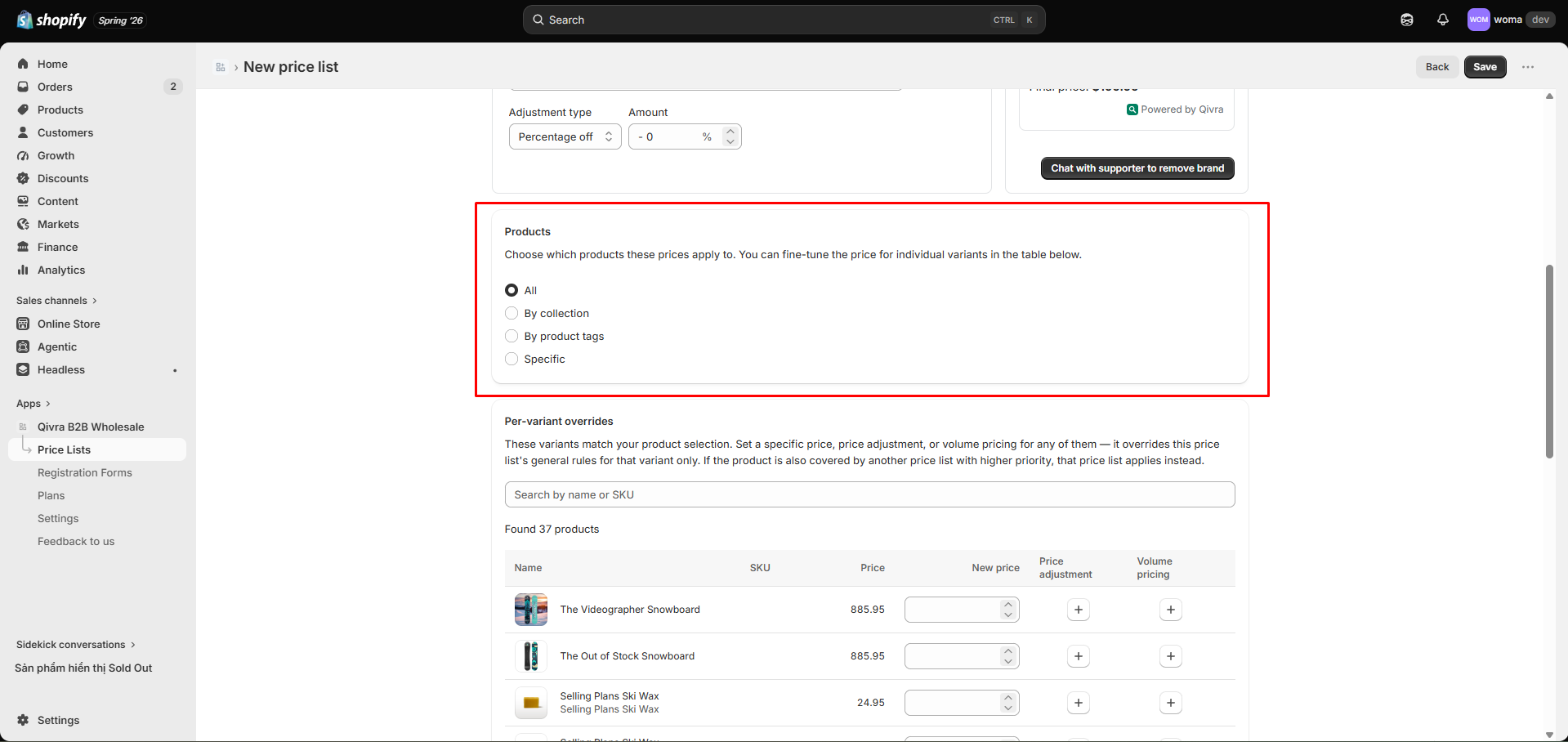
Product selection types
Section titled “Product selection types”Under Product selection, choose how the price list targets products:
| Selection | What it targets |
|---|---|
| All | Every product on the store |
| By collection | One or more collections you pick |
| By product tags | Products with any of the tags you enter |
| Specific variants | Exact variants you pick from the product picker |
For All, By collection, and By product tags, the list-level pricing rules apply to every matching variant.
For Specific variants, you can additionally set per-variant overrides that take precedence over the list-level rules.
Per-variant overrides
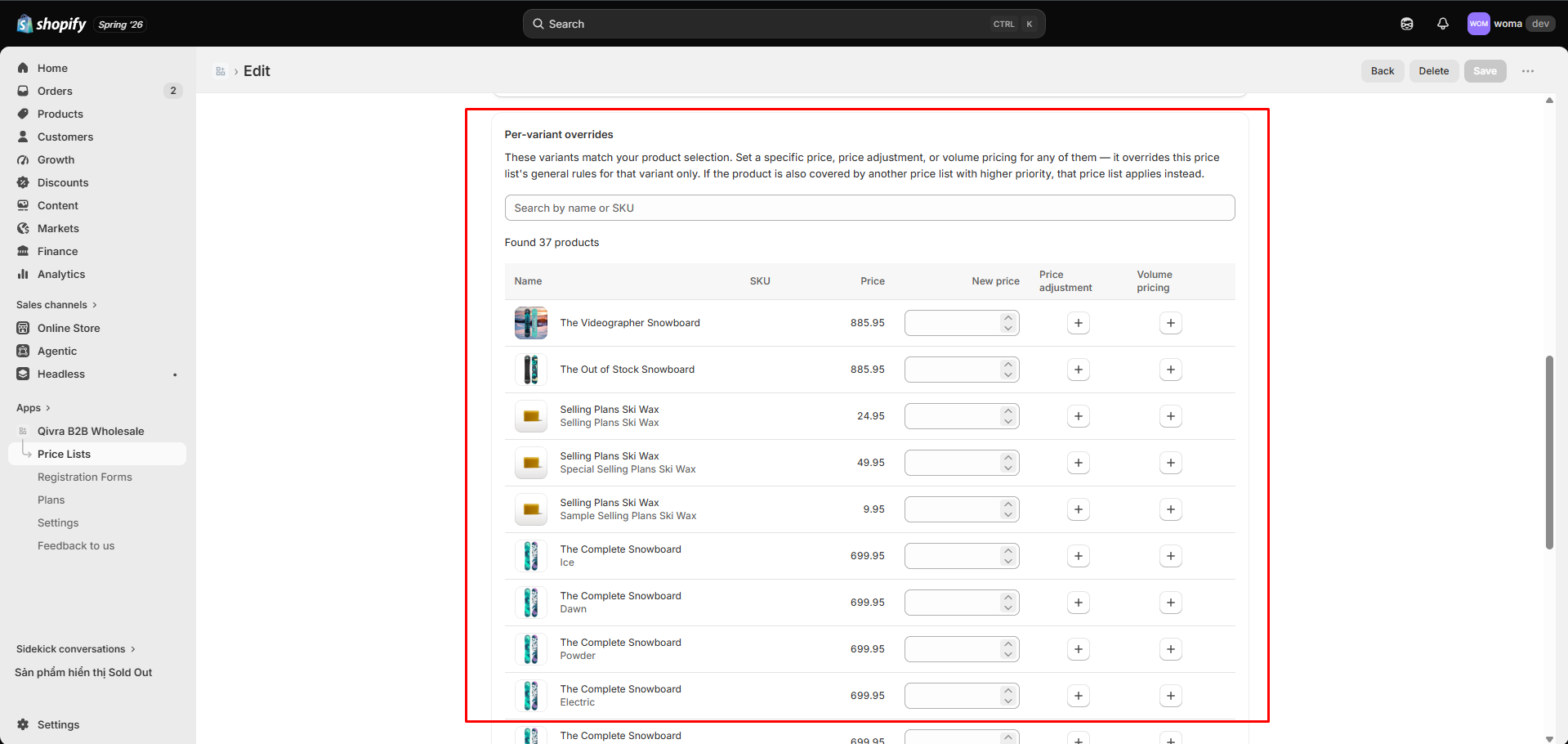
Section titled “Per-variant overrides”The override table appears under the product selection. Each matched variant has a row with these columns:
| Column | Meaning |
|---|---|
| Name | Product / variant name |
| SKU | Variant SKU |
| Price | Original variant price (read-only) |
| New price | Exact fixed price for this variant (fixedPrice) — wins absolutely |
| Discount | Per-variant discount (percentage or fixed amount off) |
| Price break | Per-variant volume tiers (count shown; edit via modal) |
Override precedence
Section titled “Override precedence”When a variant has an override, the override is applied instead of the list-level rule for that variant:
- New price (fixed) beats everything — the customer pays exactly that amount.
- A per-variant discount replaces the list discount for that variant.
- A per-variant price break replaces the list price breaks for that variant.
Edit an override
Section titled “Edit an override”- In the variant row, click Edit override.
- In the modal, set the New price, Discount, or Price break for that variant.
- Save.
Use the Search by name or SKU box to find variants quickly when the list is long.
Switching product selection
Section titled “Switching product selection”When you change the product selection type (e.g. from Specific variants to By collection), the app warns you:
Switching product selection will clear all per-variant override config in the table.
Confirm with Switch & clear to proceed, or cancel to keep your overrides.
- Use Specific variants + per-variant fixed price when you need exact contract prices per SKU.
- Use By collection with list-level rules for broad “whole catalog” discounts.
- Combine a broad list (e.g. By tag
wholesale-eligible) with Priority to layer audiences — see Priority and effective period.
Related docs
Section titled “Related docs”- Create your first price list
- Pricing rules: discounts and price breaks
- Customer and market selection
- Metafield sync status