Enable the App Embed
The app embed is the on/off switch for Qivra B2B Wholesale on your storefront. Until it is enabled, B2B prices will not display and registration forms will not render. This guide shows how to turn it on.
What the app embed does
Section titled “What the app embed does”When enabled, the app embed block (“Qivra B2B Wholesale”) loads the storefront pricing engine on every page. It:
- Reads your price list rules from the shop metafield.
- Rewrites product, variant, collection, and line-item prices in real time.
- Applies customer, market, and product targeting.
- Powers the registration form rendering.
Step 1: Open your theme editor
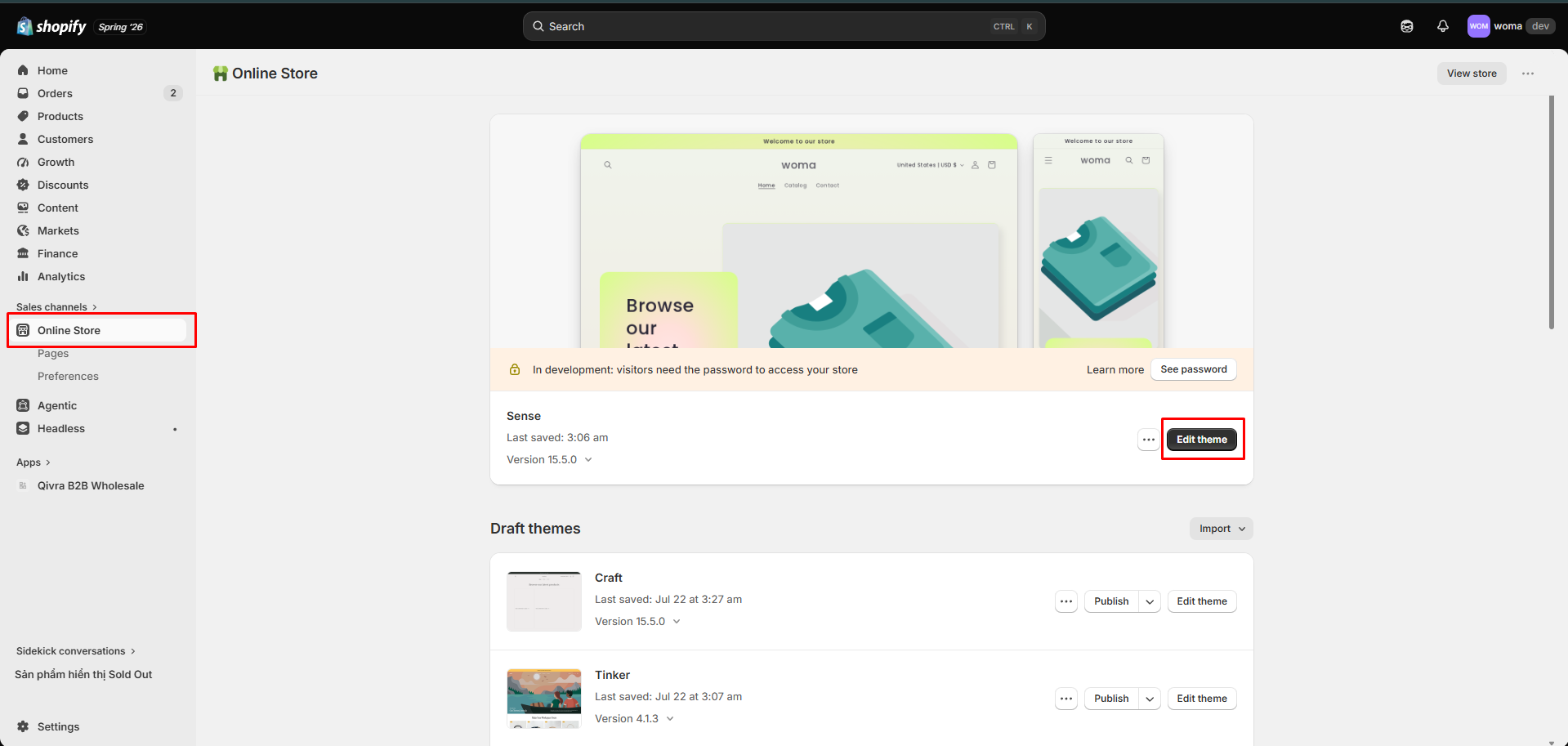
Section titled “Step 1: Open your theme editor”- In the Shopify admin, go to Online Store → Themes.
- Next to your live theme, click Customize.
Step 2: Toggle on the app embed
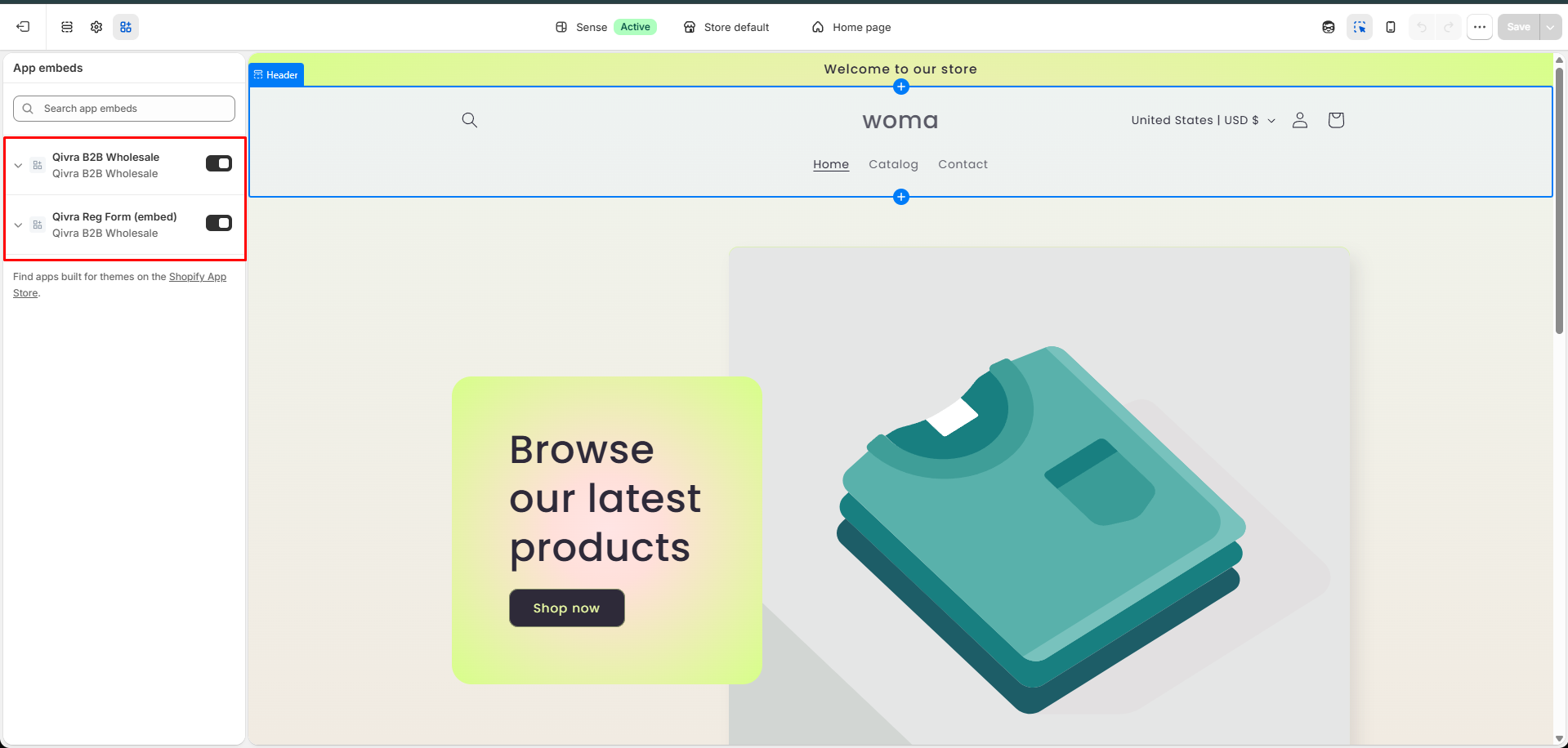
Section titled “Step 2: Toggle on the app embed”- In the theme editor, open the App embeds panel (usually a icon on the left sidebar).
- Find Qivra B2B Wholesale.
- Toggle it on.
Step 3: Save the theme
Section titled “Step 3: Save the theme”- Click Save in the theme editor.
- The storefront pricing engine is now live.
Verify it works
Section titled “Verify it works”- Log in as a customer who matches one of your price lists (or tag a test account).
- Open a product that matches the price list’s product selection.
- Confirm the B2B price and any volume-discount table appear.
If prices still don’t show, see Troubleshooting: B2B prices not showing.
Disable the app embed
Section titled “Disable the app embed”To temporarily turn off all storefront B2B display:
- Return to Themes → Customize → App embeds.
- Toggle Qivra B2B Wholesale off.
- Save.
This pauses storefront pricing without deleting any price lists or settings.
Related docs
Section titled “Related docs”- Add a registration form via Theme Editor block
- Embed a form via shortcode
- Create your first price list
- Storefront display settings