Plans and Billing
This guide explains the Qivra B2B Wholesale subscription plans, what each plan includes, how billing works, and how to upgrade.
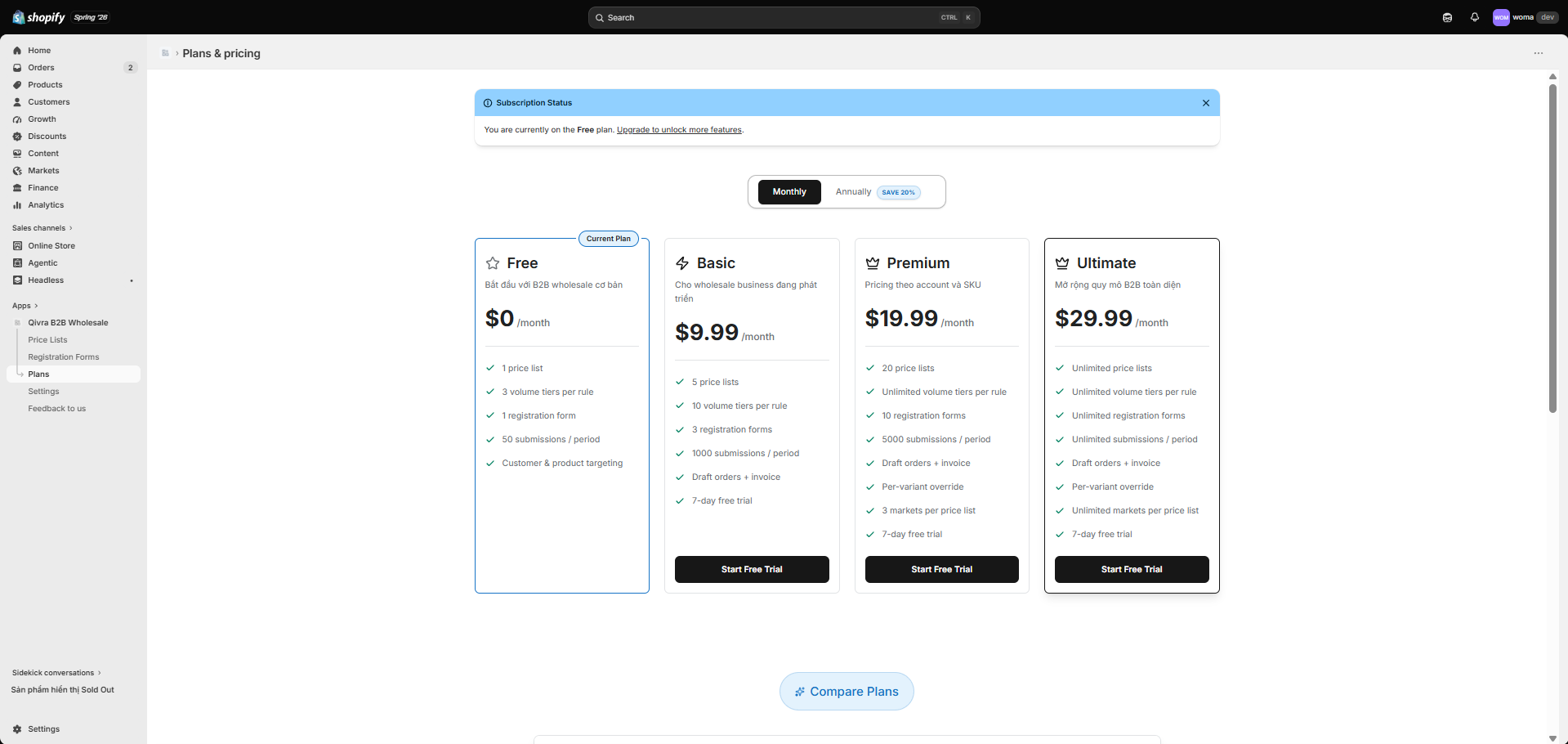
View and manage your plan
Section titled “View and manage your plan”- Go to Plans in the app sidebar.
- You see your current plan, a billing interval toggle (Monthly / Yearly), and the available pricing cards plus a feature comparison table.
- Choose a plan and confirm. You are redirected through Shopify’s secure approval flow and returned to the app.
Plans at a glance
Section titled “Plans at a glance”| Plan | Monthly | Annual (per month, billed yearly) | Best for |
|---|---|---|---|
| Free | $0 | $0 | Trying B2B on a small catalog |
| Basic | $29/mo | $24/mo ($288/yr) | Growing wholesale channel |
| Premium | $99/mo | $82/mo ($984/yr) | High-volume B2B with priority support |
Annual billing saves about 20% versus monthly.
Plan limits
Section titled “Plan limits”Feature usage is gated by two limits:
| Plan | Companies | Company registrations / month | Draft orders |
|---|---|---|---|
| Free | 5 | 50 | ✓ |
| Basic | 100 | 1,000 | ✓ |
| Premium | Unlimited | Unlimited | ✓ |
- Companies — the maximum number of B2B companies you can manage.
- Company registrations — monthly storefront signup requests received via your registration forms.
When you reach a limit, the relevant action is blocked and you are prompted to upgrade. Server-side enforcement means these limits always apply regardless of the client.
14-day free trial
Section titled “14-day free trial”Both Basic and Premium offer a 14-day free trial. You can try the full feature set before being billed. The trial starts when you start the subscription through Shopify.
Priority support
Section titled “Priority support”Premium includes priority support. Free and Basic plans include community support.
Upgrade or change plans
Section titled “Upgrade or change plans”- Go to Plans.
- Pick the plan you want (you can also switch between monthly and yearly billing).
- Confirm through the Shopify approval flow.
- After approval you are returned to the app (
?type=return) and your subscription banner updates.
Prorations and billing are handled by Shopify according to your store’s billing cycle.
Current plan banner
Section titled “Current plan banner”A Subscription status banner at the top of the Plans page shows your active plan, interval, and renewal date so you always know where you stand.